> ## Documentation Index
> Fetch the complete documentation index at: https://docs.spurtest.com/llms.txt
> Use this file to discover all available pages before exploring further.
# Shareable Links
> Share test results with anyone on your team, no login required.
## Overview
Shareable links let you send a full test result to anyone on your team without them needing a Spur account or being logged in. The recipient gets access to the complete result, including test steps, failure reasons, video replay, console logs, and network logs.
## How to Share a Test Result
Navigate to any completed test run and click into the result you want to share.
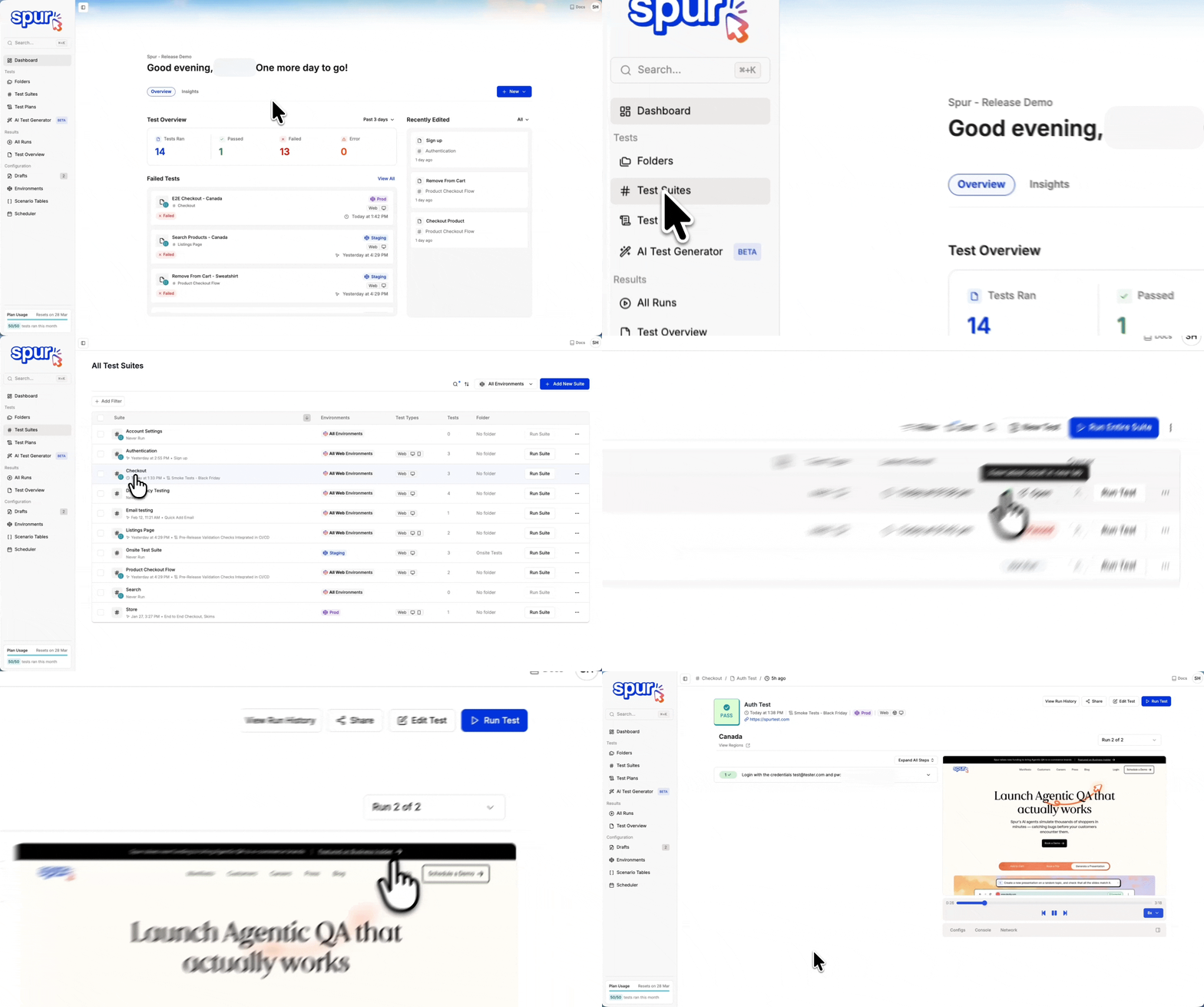 Click the **Share** icon to generate a shareable link.
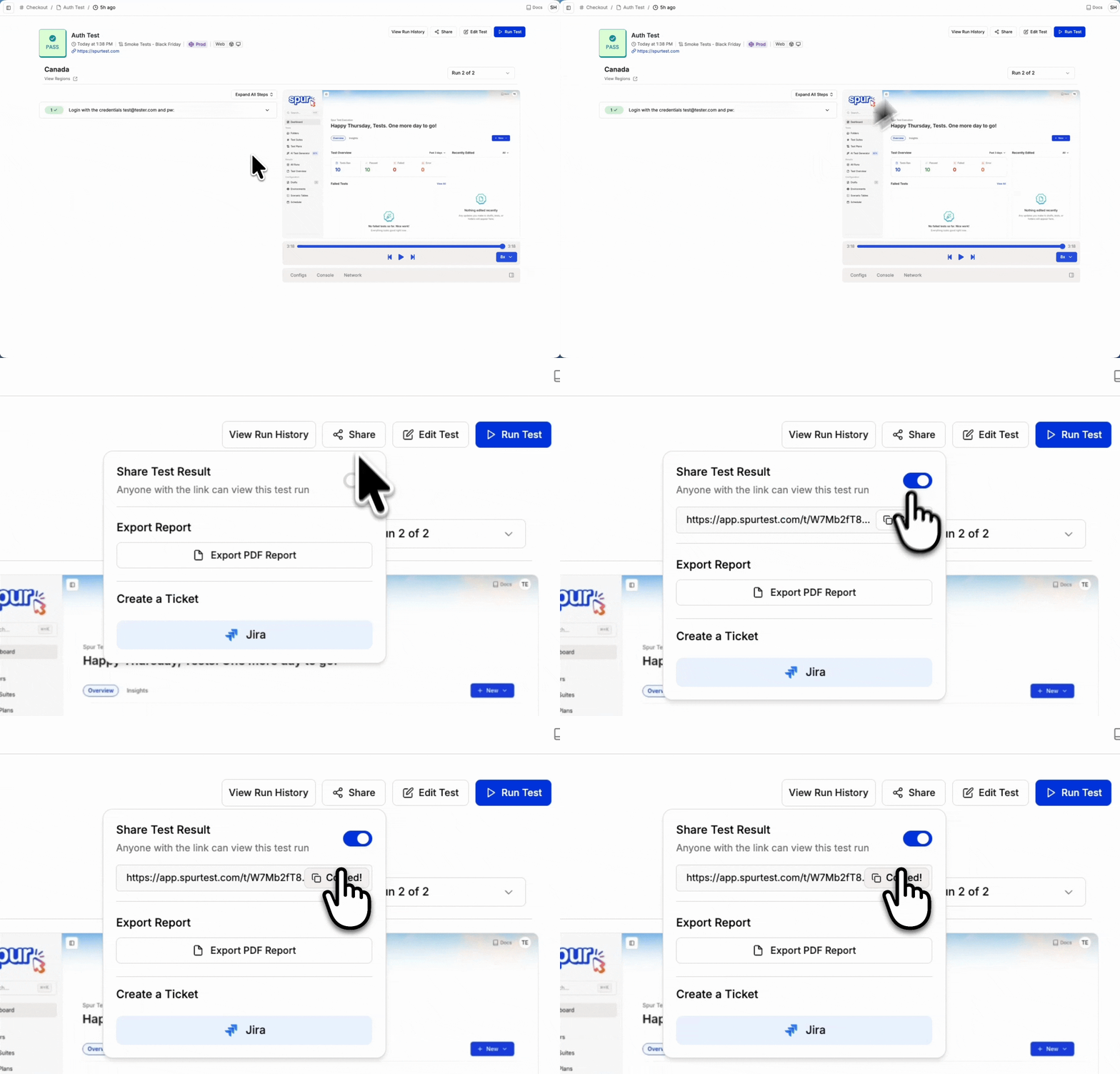 Copy the link and send it to anyone on your team. They can open it in any browser and view the full result immediately.
You can also pass shareable links to the [Spur MCP](/analysing-tests/mcp/spur-mcp) to analyze test results and help debug failures directly in your development workflow.
## What the Recipient Sees
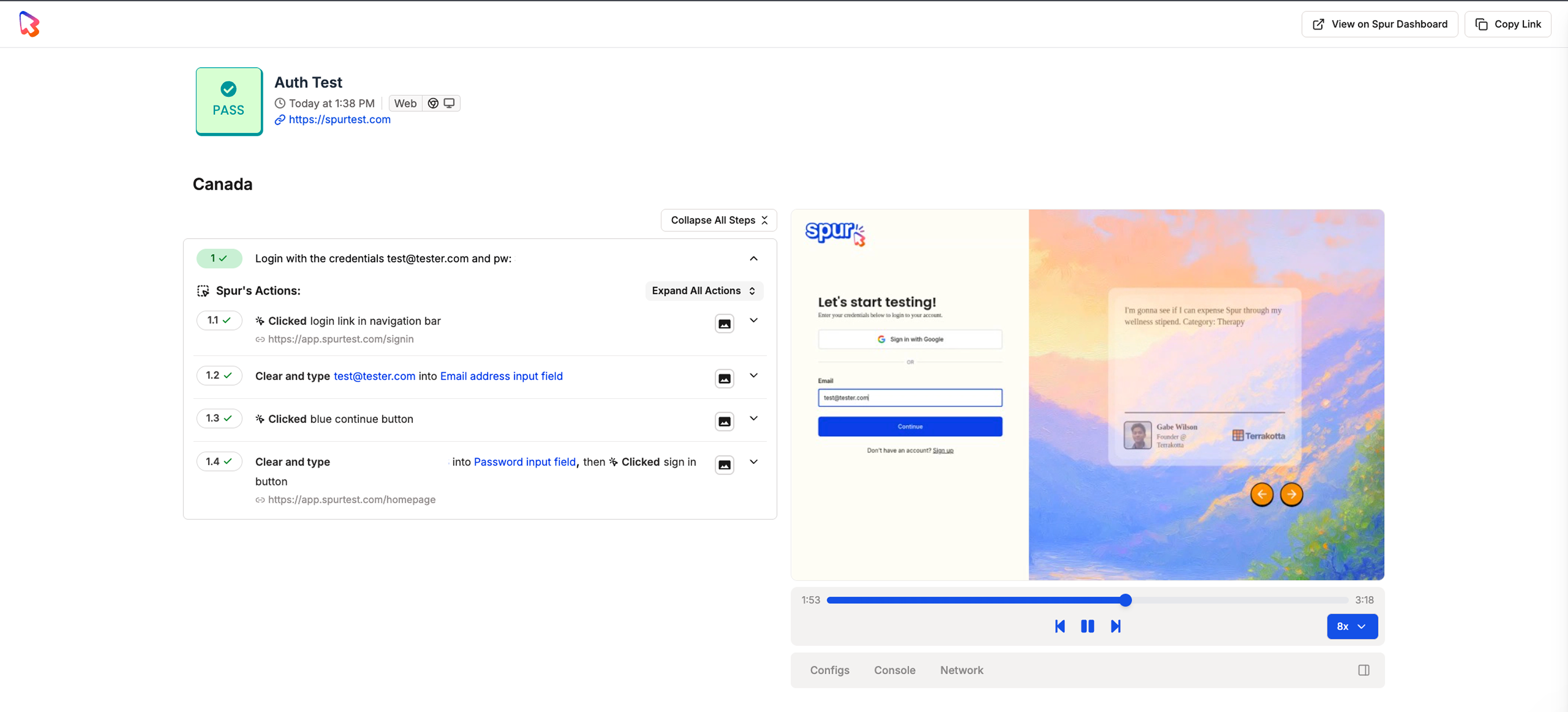
The shared link gives full access to the test result, including test steps, video replay, console logs, and network logs.
Copy the link and send it to anyone on your team. They can open it in any browser and view the full result immediately.
You can also pass shareable links to the [Spur MCP](/analysing-tests/mcp/spur-mcp) to analyze test results and help debug failures directly in your development workflow.
## What the Recipient Sees
The shared link gives full access to the test result, including test steps, video replay, console logs, and network logs.
 ### Test Steps with Spur Agent Analysis
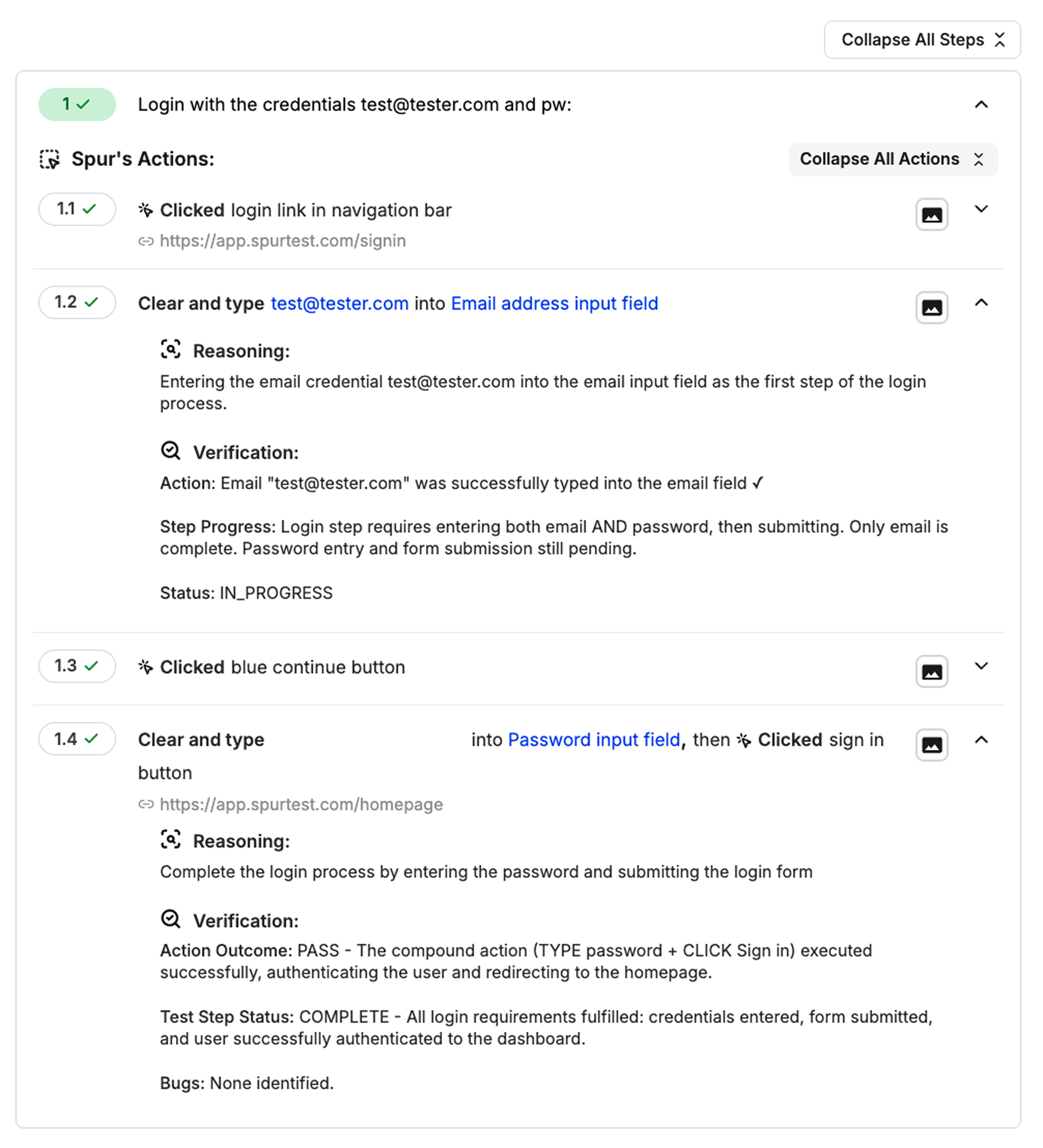
Click on each step to view the Spur agent's analysis, including what was executed and why it passed or failed.
### Test Steps with Spur Agent Analysis
Click on each step to view the Spur agent's analysis, including what was executed and why it passed or failed.
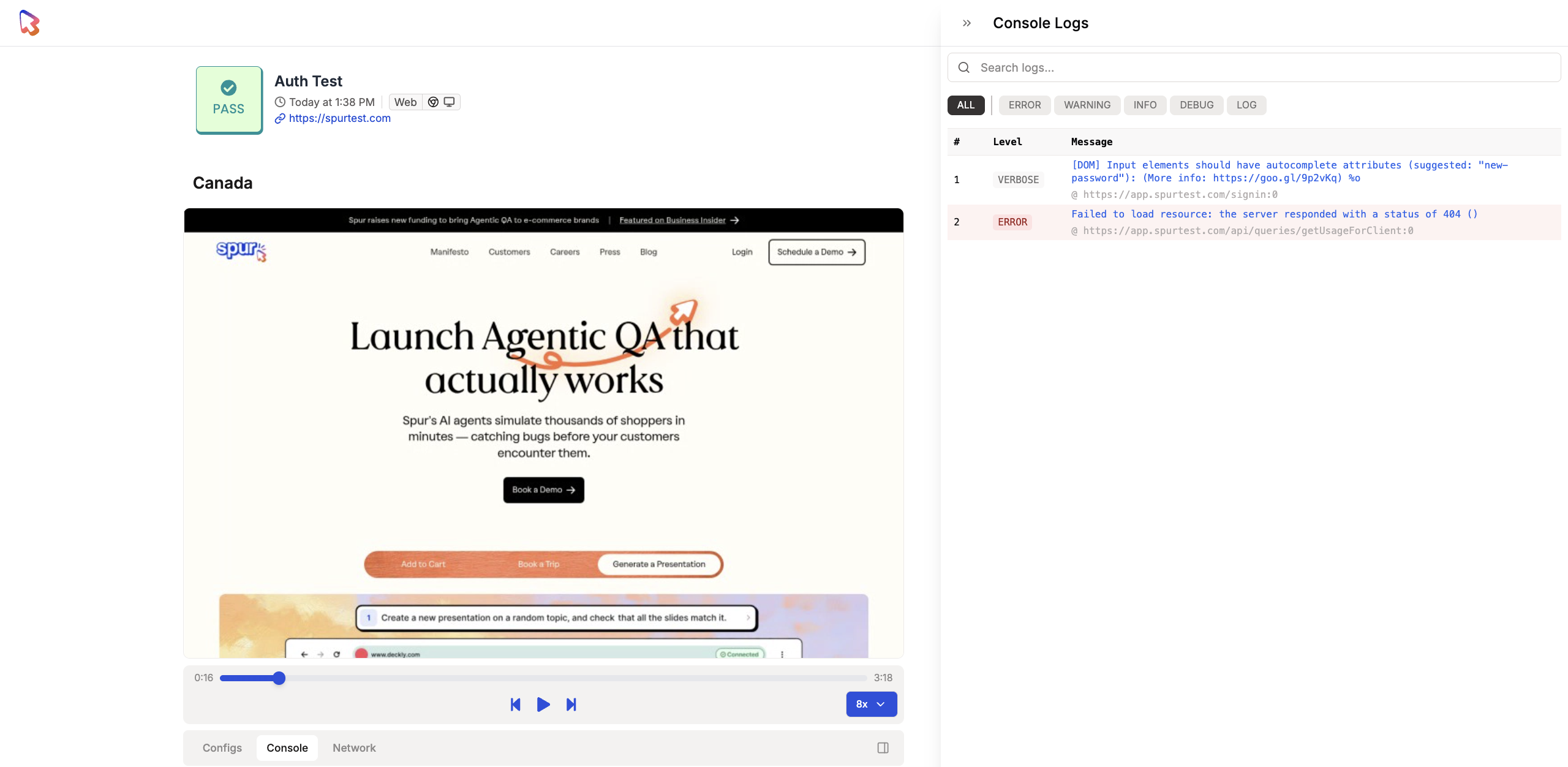
 ### Console Logs
Click the console log button in the video replay bar to view browser console output and JavaScript errors.
### Console Logs
Click the console log button in the video replay bar to view browser console output and JavaScript errors.
 ### Network Logs
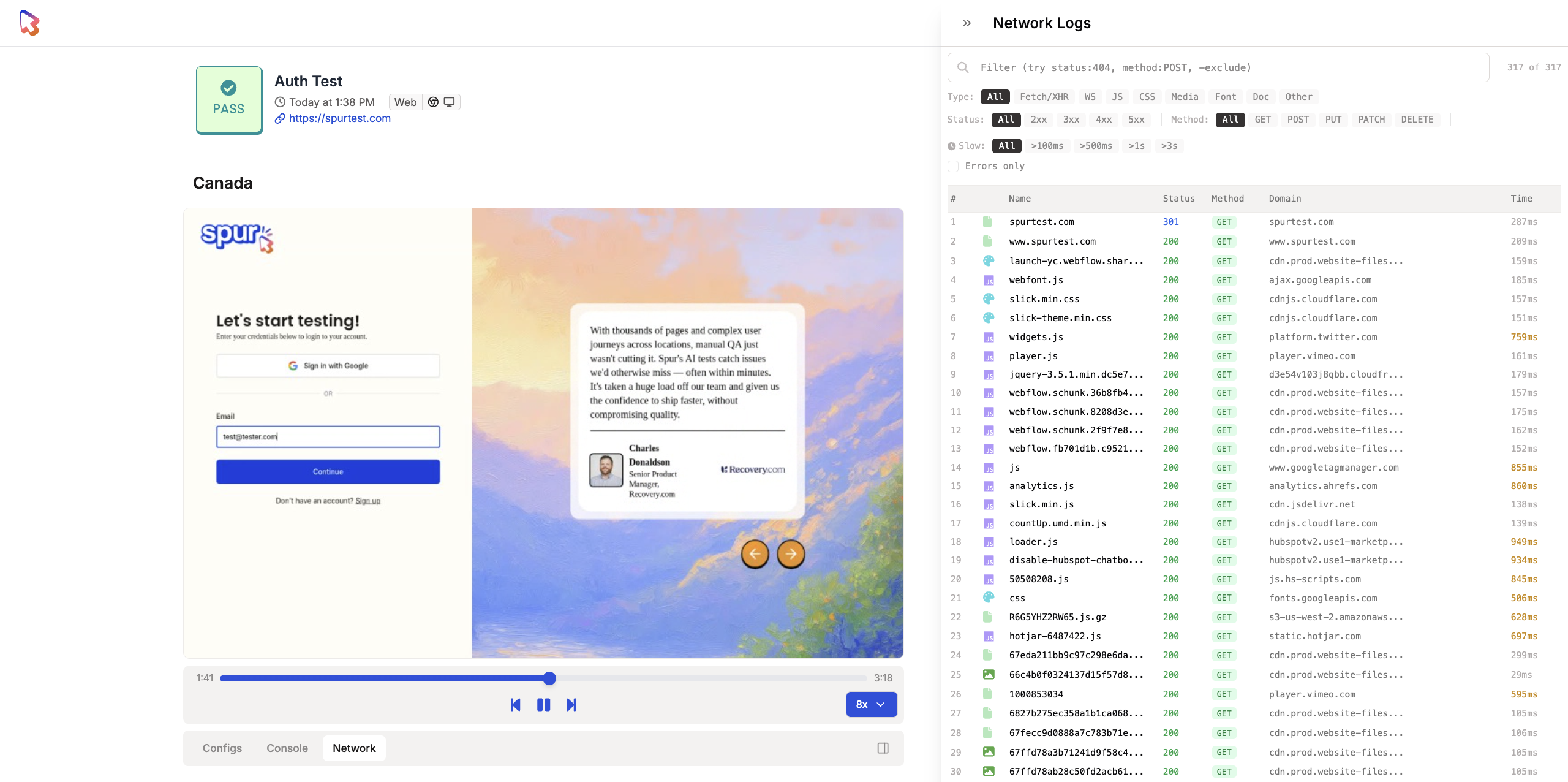
Click the network arrows in the video replay bar to inspect HTTP requests and responses captured during the test.
### Network Logs
Click the network arrows in the video replay bar to inspect HTTP requests and responses captured during the test.
 ## Other Ways to Share Results
You can also share test results by creating tickets directly from Spur:
Create Jira tickets from test failures with auto-populated details.
Generate Linear issues directly from test results.
## Other Ways to Share Results
You can also share test results by creating tickets directly from Spur:
Create Jira tickets from test failures with auto-populated details.
Generate Linear issues directly from test results.