> ## Documentation Index
> Fetch the complete documentation index at: https://docs.spurtest.com/llms.txt
> Use this file to discover all available pages before exploring further.
# Scroll
> Learn how to use scroll actions in Spur
The scroll action allows you to navigate through content by moving vertically or horizontally on a webpage.
## Basic Usage
Scroll vertically and horizontally using natural language.

 ## For Inner Scrolls
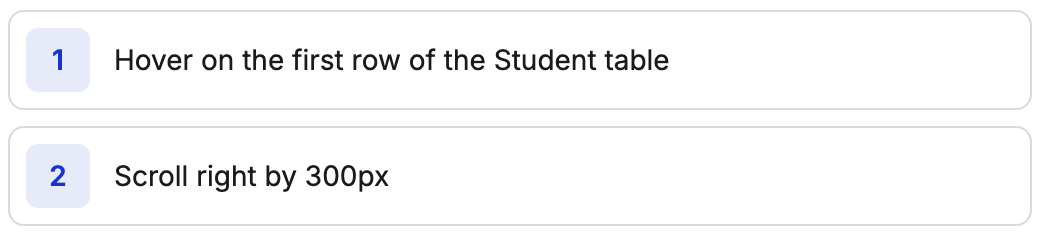
For scrollable containers within a page, first hover on the container, then scroll. You can also describe the inner scroll directly:
```
Scroll up in the chat history to view the results
```
## For Inner Scrolls
For scrollable containers within a page, first hover on the container, then scroll. You can also describe the inner scroll directly:
```
Scroll up in the chat history to view the results
```
 ## Scroll Until Visible
You can tell the agent to scroll until a specific element comes into view:
```
Scroll down until the "favorites" section is visible
```
This is useful when you need to reach a section of the page but don't know exactly how far to scroll.
## Scroll to Page Sections
You can tell the agent to scroll directly to the footer or header of a page:
```
Scroll down to the footer of the page
```
## Best Practices
The Spur agent decides how far to scroll based on your prompt. If the prompt is to scroll all the way to the bottom of the page, the agent will scroll by a larger amount (e.g. the entire viewport).
For more reliable tests, provide specific pixel values for scroll distances when precision matters.
## Scroll Until Visible
You can tell the agent to scroll until a specific element comes into view:
```
Scroll down until the "favorites" section is visible
```
This is useful when you need to reach a section of the page but don't know exactly how far to scroll.
## Scroll to Page Sections
You can tell the agent to scroll directly to the footer or header of a page:
```
Scroll down to the footer of the page
```
## Best Practices
The Spur agent decides how far to scroll based on your prompt. If the prompt is to scroll all the way to the bottom of the page, the agent will scroll by a larger amount (e.g. the entire viewport).
For more reliable tests, provide specific pixel values for scroll distances when precision matters.