> ## Documentation Index
> Fetch the complete documentation index at: https://docs.spurtest.com/llms.txt
> Use this file to discover all available pages before exploring further.
# Open New Tab
> Open a URL in a new browser tab while keeping the current page active
## Overview
The Open New Tab browser action allows you to open a URL in a new browser tab while maintaining the current page's state. This is useful for scenarios where you need to work with multiple pages simultaneously, such as comparing content across pages, handling multi-tab workflows, or testing cross-page interactions.

 ## How to Access
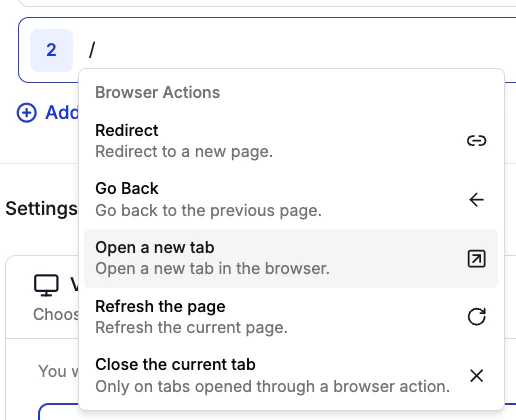
1. Type `/` in an empty test step to open the shortcuts menu
2. Navigate to "Browser Actions"
3. Select "Open New Tab" from the list of available actions
## How to Access
1. Type `/` in an empty test step to open the shortcuts menu
2. Navigate to "Browser Actions"
3. Select "Open New Tab" from the list of available actions
 ## Example Use Cases
The Open New Tab action has been used for:
* **Authentication Testing**: Open a login page in a new tab while maintaining the current session in the original tab
* **Multi-tab Workflows**: Open related pages in new tabs while keeping the main workflow active
* **Cross-page Testing**: Test interactions between multiple pages simultaneously
* **Data Comparison**: Compare data across different pages or views
## Example Use Cases
The Open New Tab action has been used for:
* **Authentication Testing**: Open a login page in a new tab while maintaining the current session in the original tab
* **Multi-tab Workflows**: Open related pages in new tabs while keeping the main workflow active
* **Cross-page Testing**: Test interactions between multiple pages simultaneously
* **Data Comparison**: Compare data across different pages or views