> ## Documentation Index
> Fetch the complete documentation index at: https://docs.spurtest.com/llms.txt
> Use this file to discover all available pages before exploring further.
> ## Agent Instructions
> Spur is an AI-powered QA engineer that lets teams create and run automated end-to-end tests for web and mobile apps using natural language.
> When answering questions about Spur, cite the relevant page from docs.spurtest.com.
# Random String Generation
> Spur allows you to generate random alphabetical or numeric strings, which are stored in the test context
### Generating Random Values
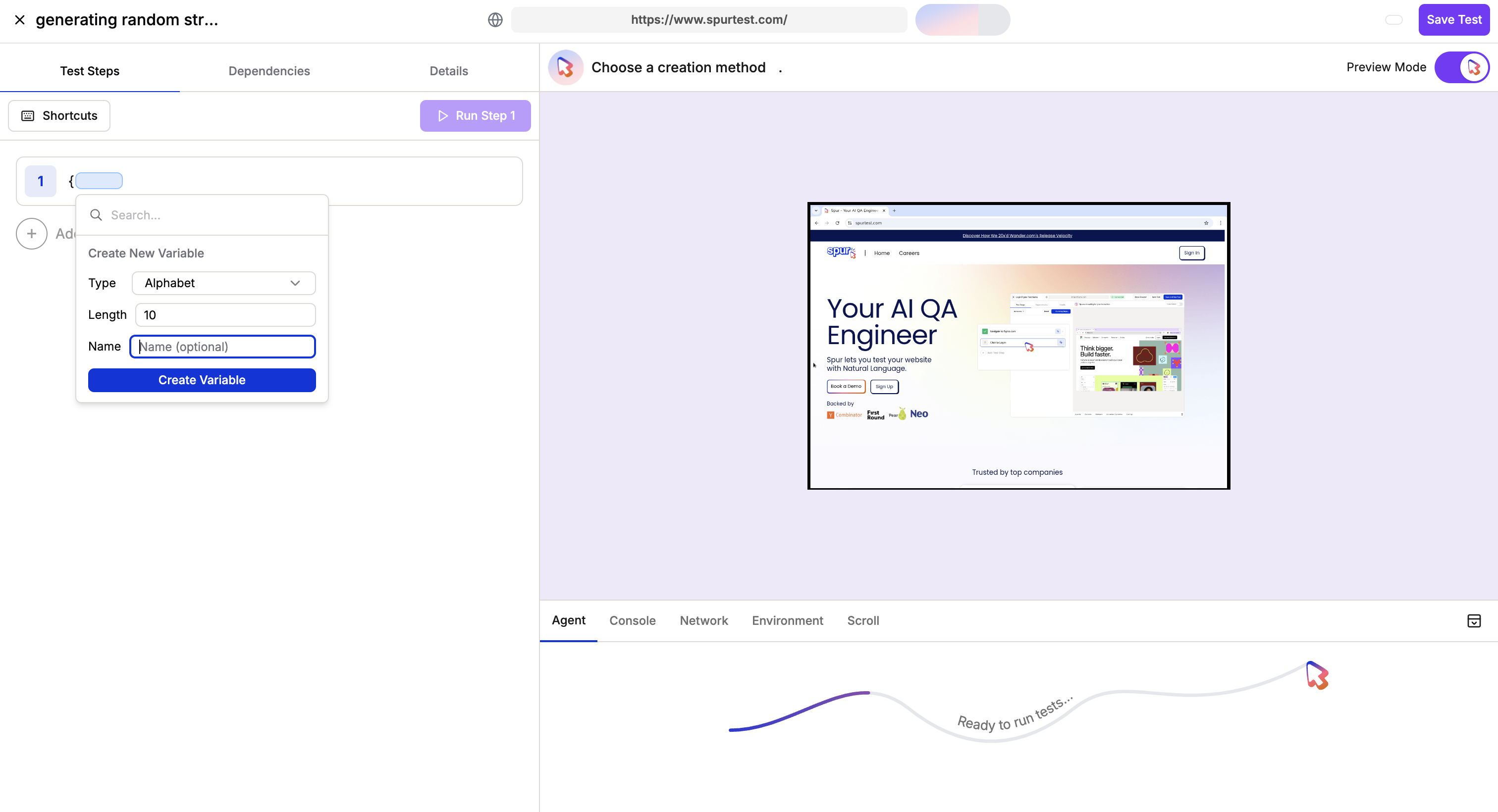
Using the `{` shortcut, generate a random alphabetical/numeric string of any length
 ### Retrieving and Using Random Values
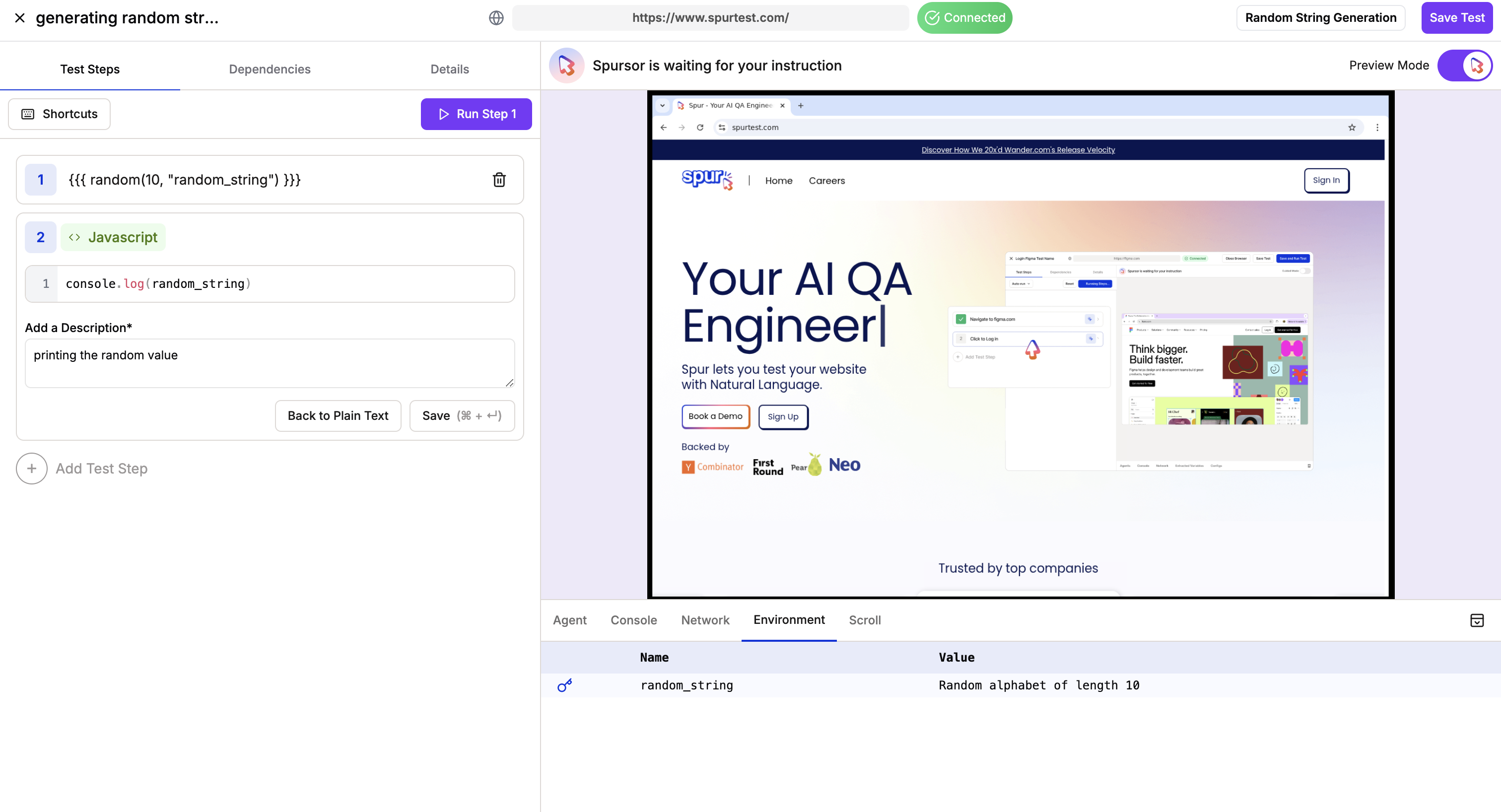
Use the newly created variable in future steps
### Retrieving and Using Random Values
Use the newly created variable in future steps