
How Snoozing Works
Tests can be snoozed for 1 day, 1 week, 1 month, a custom date/time, or indefinitely until manually unsnoozed.What Gets Paused When You Snooze
When you snooze a test, the following are also paused:- Test execution in all contexts: The snoozed test will not run in scheduled suites, test plans, or CI pipelines
- Dependent child tests: Any tests that depend on the snoozed test as a parent will also be snoozed
- All automated triggers: Scheduled runs, CI integrations, and test plan executions skip the snoozed test
Snoozed tests can still be triggered manually if you run that specific test individually (not if you run the full suite).
How to Snooze a Test
1
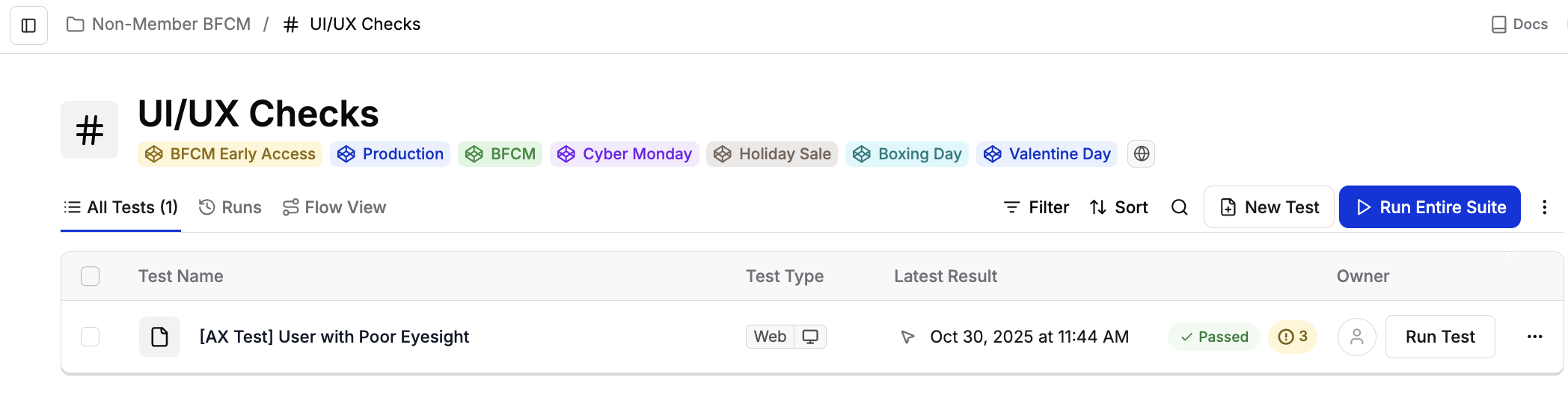
Navigate to your Test in the Test Suite list
2
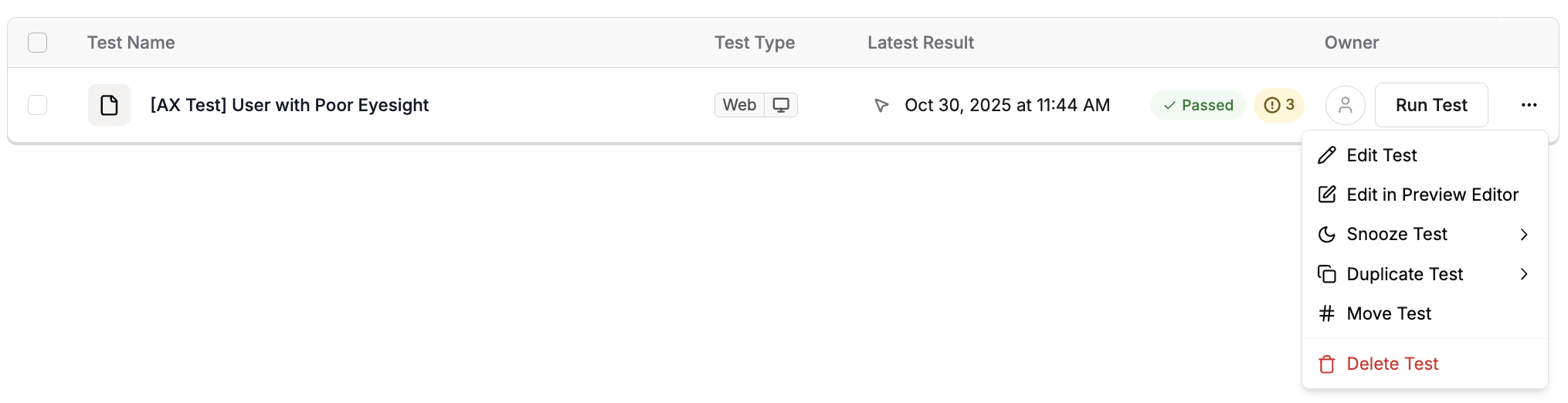
Click the three-dot menu on the test row and select Snooze Test.
3
Select snooze duration from the dropdown options
Duration for setting up snooze for a test: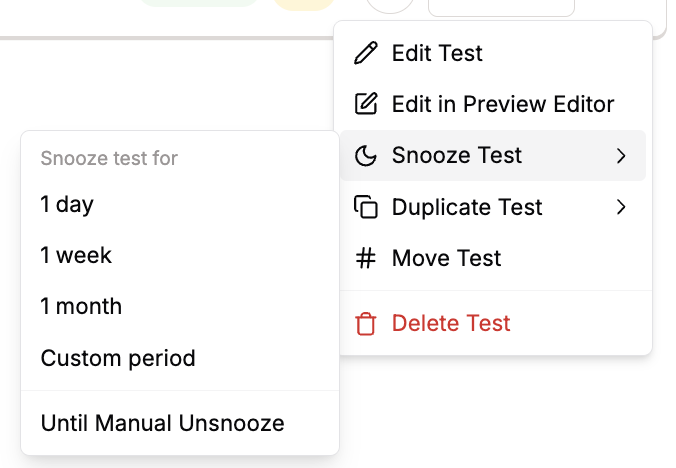
- 1 day
- 1 week
- 1 month
- Custom period
- Until Manual Unsnooze
4
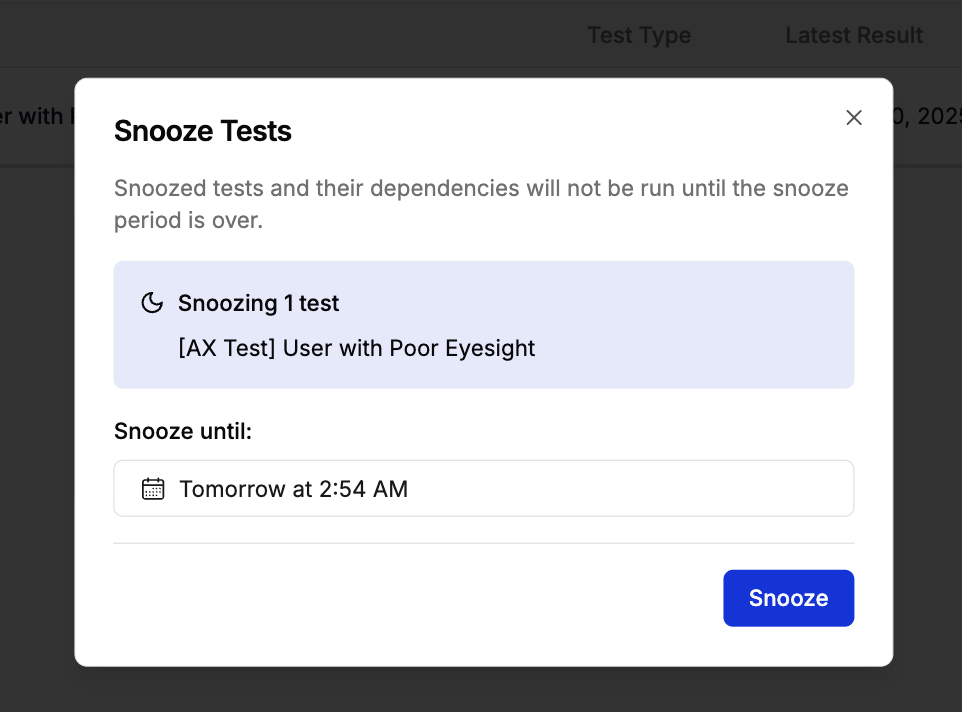
For custom periods, click "Custom period" and set your specific date and time, then click Snooze
Unsnooze a Test
1
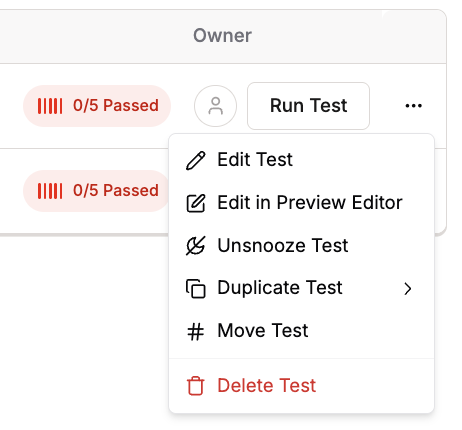
Click the three-dot menu on a Snoozed Test and select Unsnooze Test
2
Confirm or edit in the modal
You can modify the snooze duration or click Remove Snooze to unsnooze immediately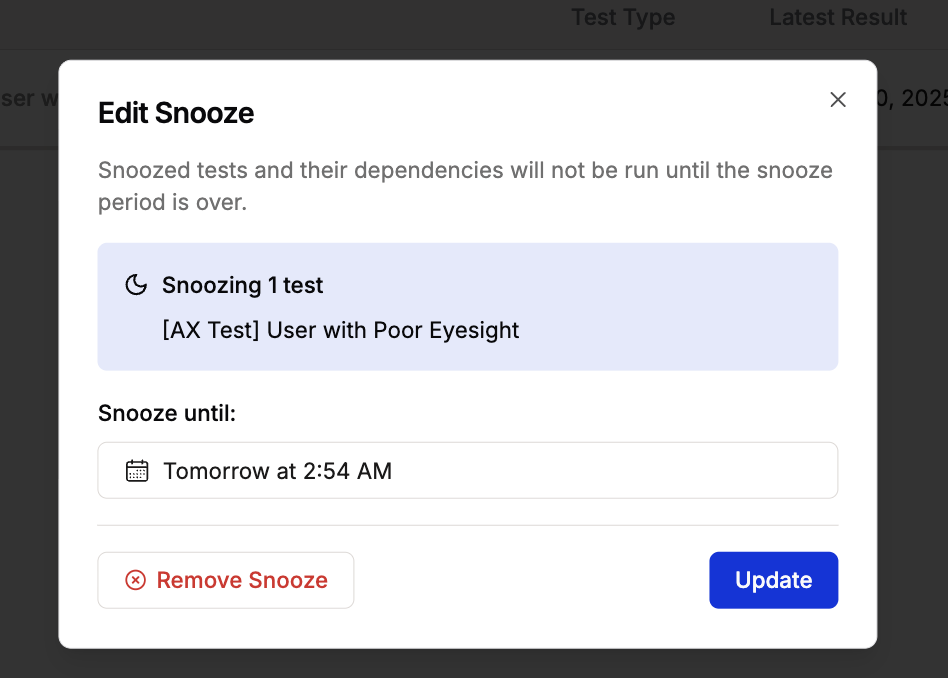
Impact on Dependencies
When you snooze a test that has dependencies:- Child tests dependent on the snoozed parent test will not run
- The entire dependency chain below the snoozed test is paused
- This prevents failures from tests that depend on setup from the snoozed test
Use Cases
Deploying New Features
Deploying New Features
Snooze tests that check features currently being deployed or updated. This prevents false failures during the deployment window.
Known Issues under Investigation
Known Issues under Investigation
Temporarily snooze tests failing due to known bugs that are being addressed. This keeps your test results clean while fixes are in progress.
Maintenance Windows
Maintenance Windows
Snooze tests during scheduled maintenance periods when the application or specific features are intentionally unavailable.
A/B Testing Variations
A/B Testing Variations
Snooze tests for variations not currently active in your A/B testing setup.