
What are Properties?
Environment variables allow you to parameterize your tests with environment-specific values like URLs, credentials, API keys, and configuration settings. Properties are key-value pairs associated with specific environments that automatically apply when tests run in those environments.Variable Types
URL Variables
URL Variables
Store base domains and full URLs for your application.
HTTPS Credentials
HTTPS Credentials
Store a username and password combination to be used in all HTTPS requests.
Secrets
Secrets
Encrypted variables to store values useable in test steps.
Secret variables are write-only after creation. You can replace them but cannot view the current value.
Headers
Headers
Custom HTTP headers sent with every request in that environment.
How to Create Properties
1
Navigate to Environment and Change Tabs
Navigate to the Environments page and switch from the Web URL tab to the Properties tab.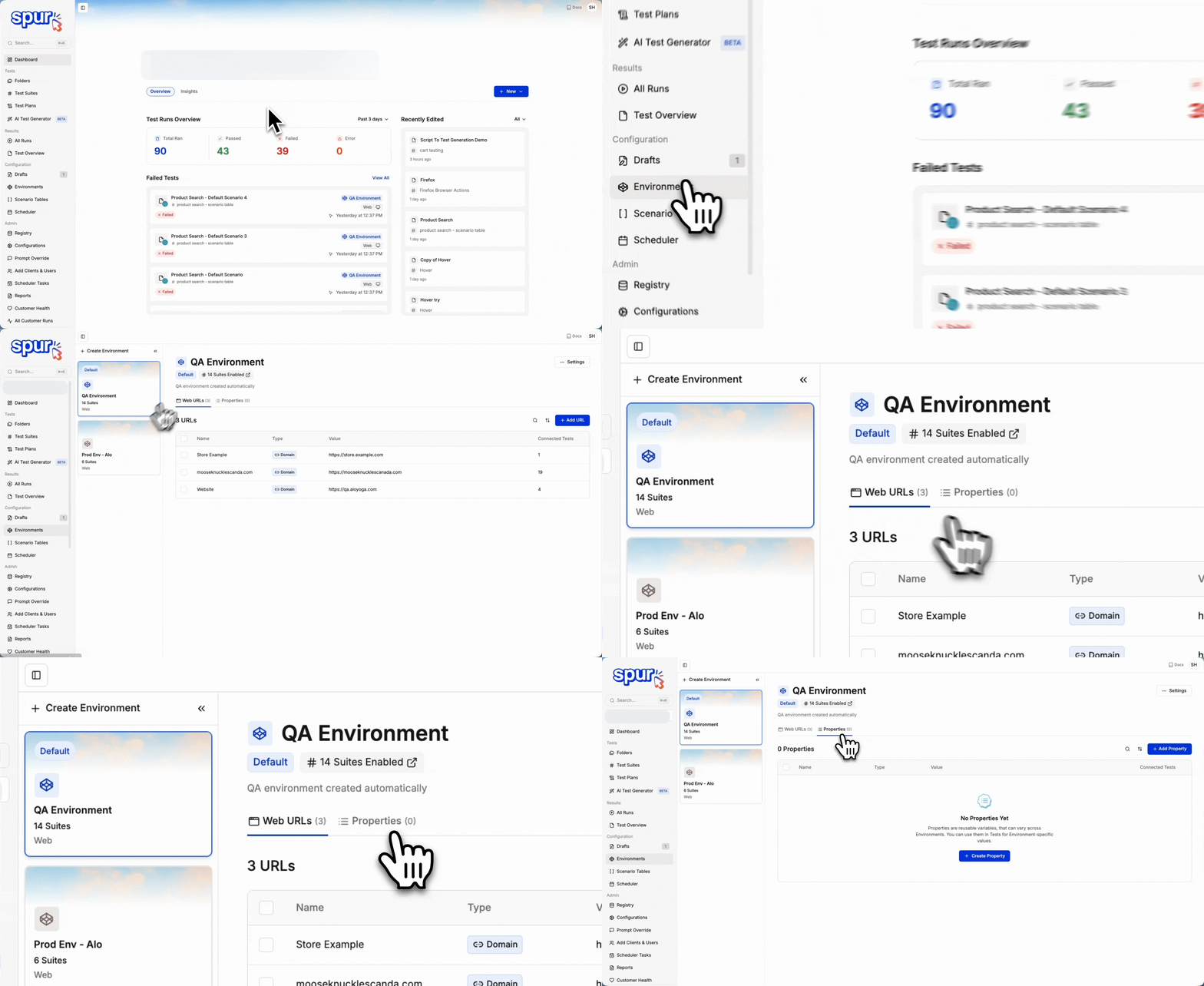
2
Click + Add Property Button
Click the + Add Property button at the extreme right to begin creating a new property.
3
Select Property Type
Select a property type - Header, Variable or HTTPS Configuration. Each type serves different purposes as explained in the Variable Types section above.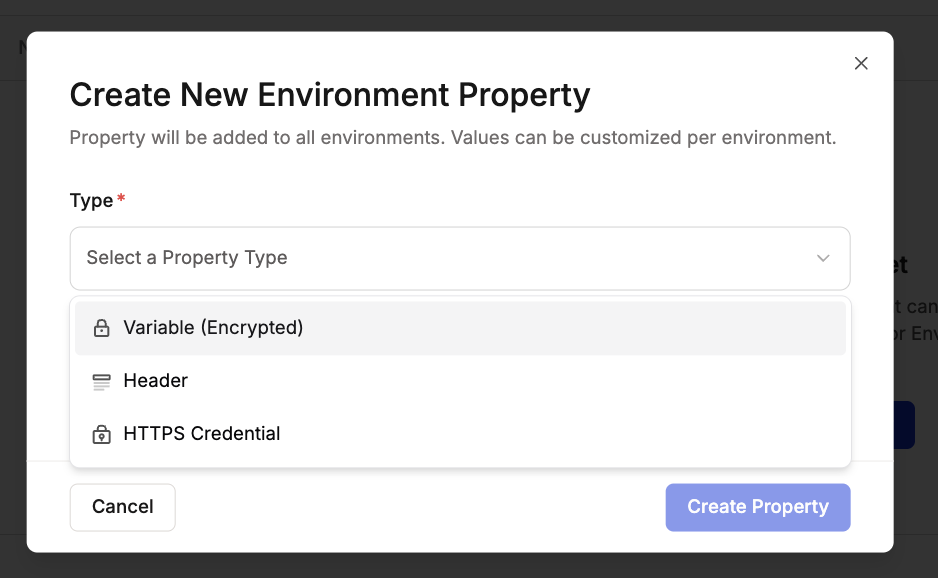
4
Name the Property
Enter a descriptive name for your property and click Create Property.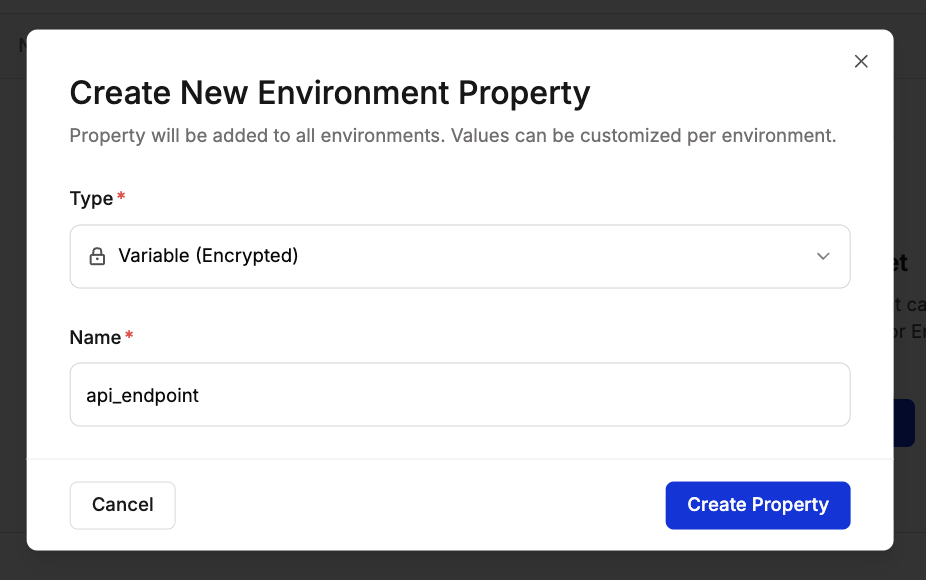
5
Configure Values for Each Environment
All configured environments will display in the table. For each environment, set whether the property is required and enter the appropriate value.
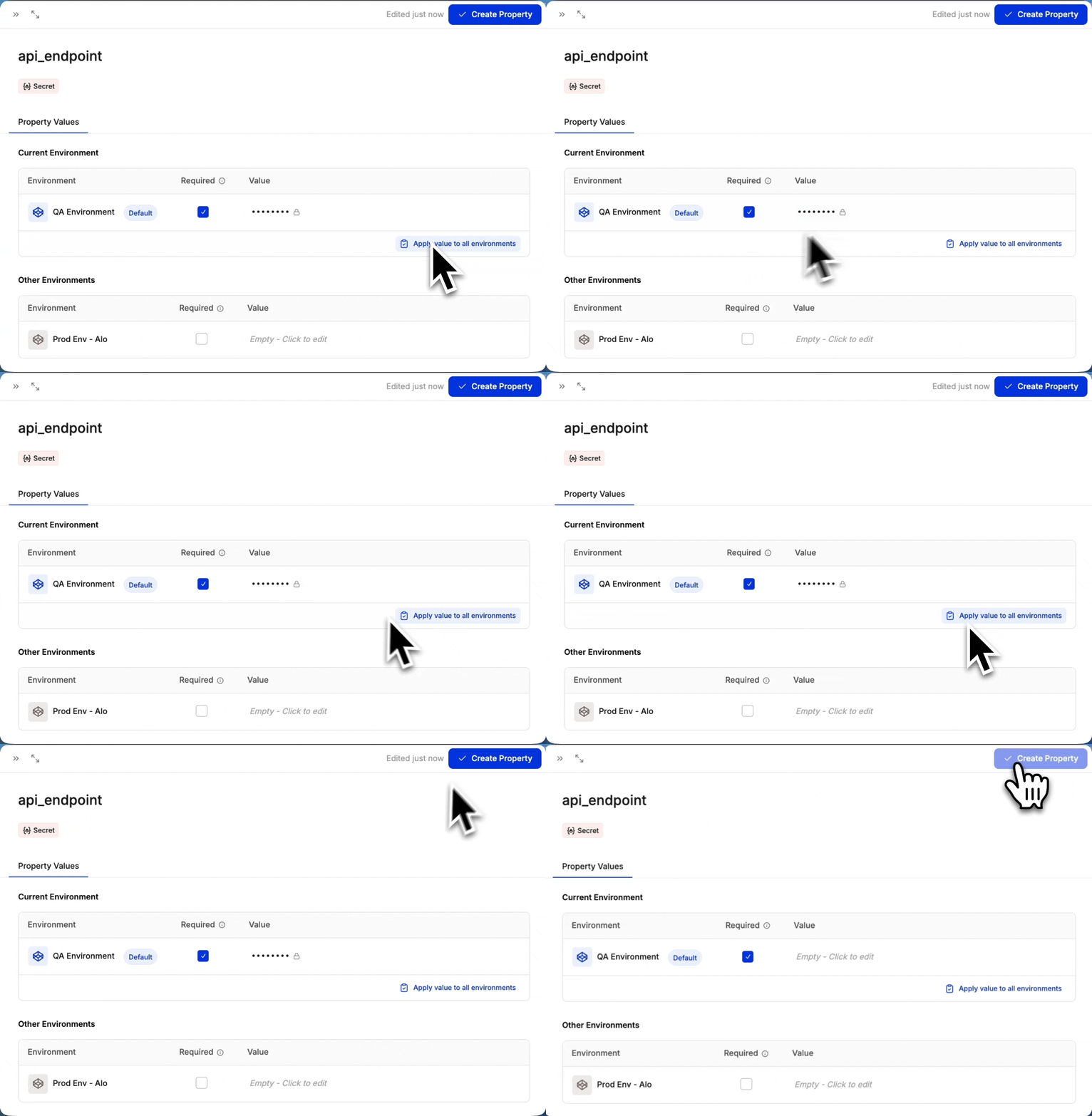
Required vs Optional Variables
Required vs Optional Variables
Mark a variable as required for each environment to specify if the environment must have a value for the variable.Required Variables must have values in all environments before tests can run.Optional Variables can be left empty in some environments, allowing tests to run without them.
Note: You can also apply the same value to other properties automatically by clicking Apply value to all environments option
6
Click Create Property
Click Create Property and a new property is created. This is available to all tests running in the configured environments.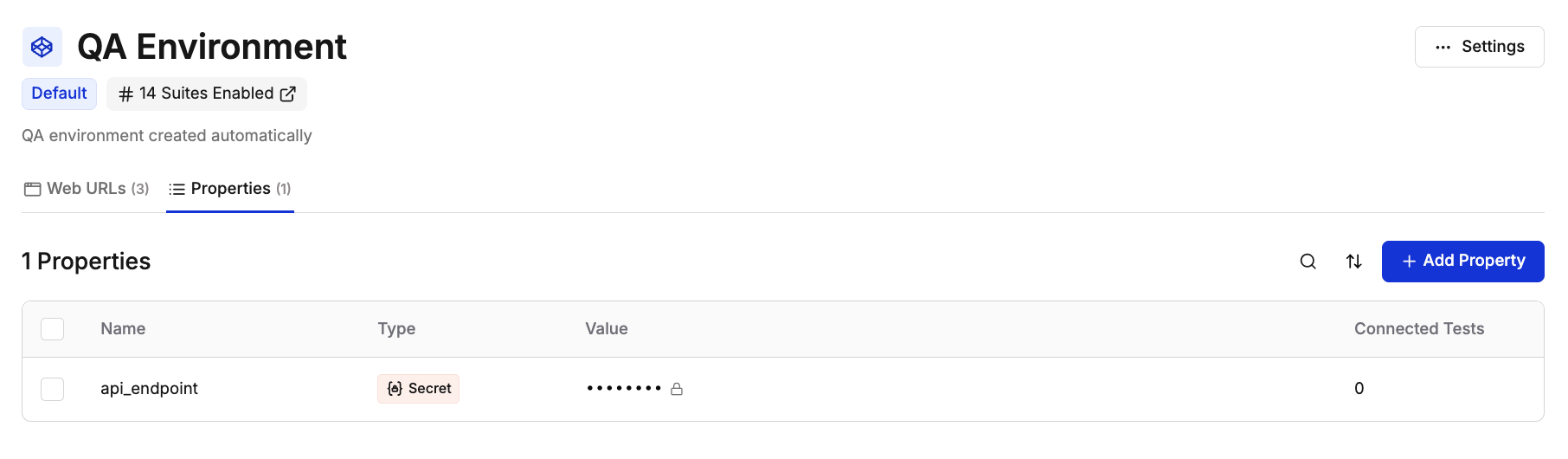
7
Using Properties in Tests
Once created, properties automatically apply to tests running in their configured environments.The Spur Agent uses the appropriate property value based on which environment the test executes in.
Best Practices
- Use descriptive names: Make property names self-explanatory for team collaboration
- Mark required properties appropriately: Only mark properties as required if tests cannot run without them
- Use Secrets for sensitive data: Store passwords, API keys, and tokens as Secret variables for security
- Validate URL variables: Ensure all URL variables include the protocol (https://)
- Document property purposes: Add clear descriptions when creating properties to help team members understand their use
- Apply values across environments strategically: Use “apply to all environments” only when values are truly universal