
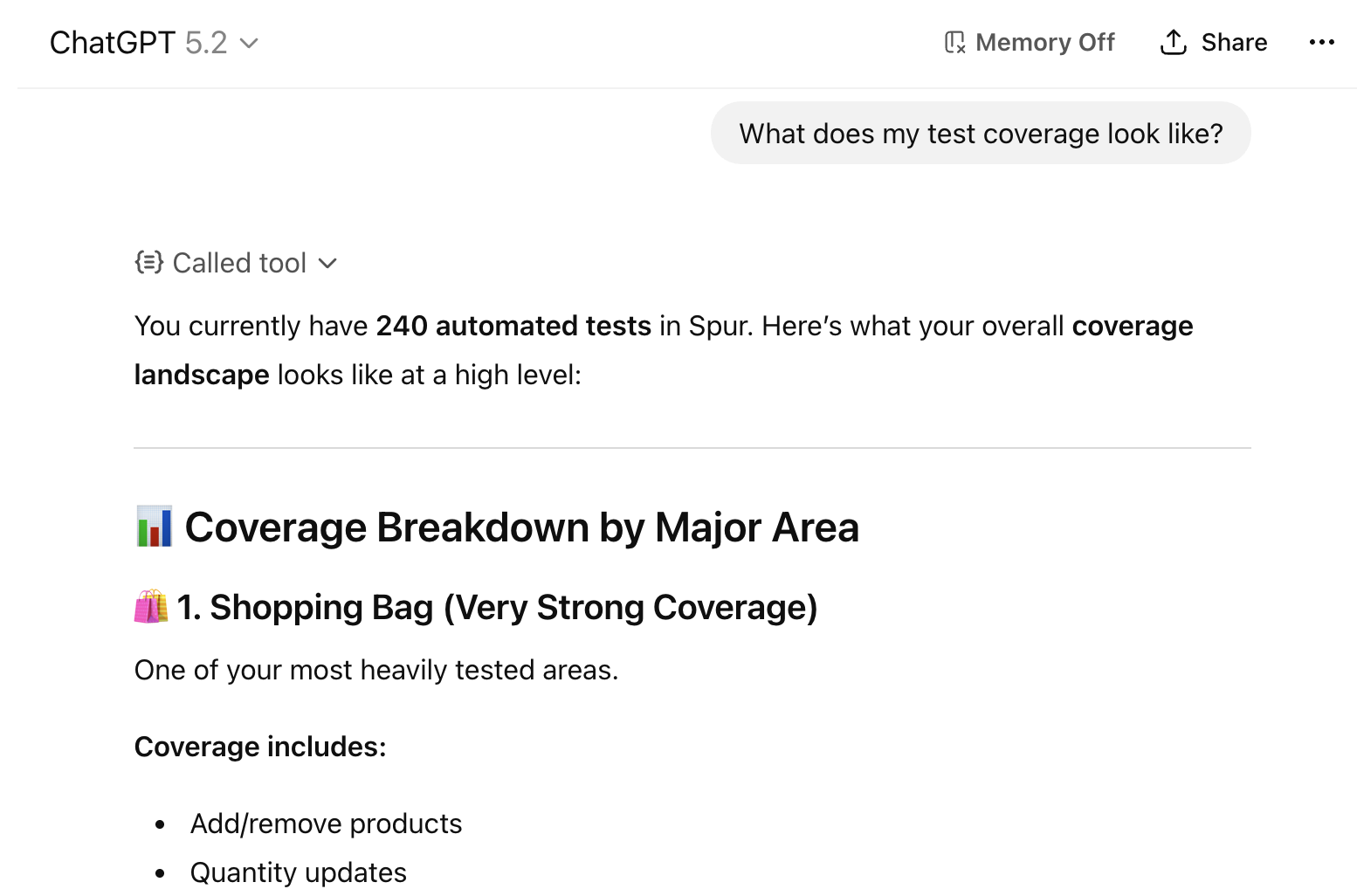
The Spur MCP in action
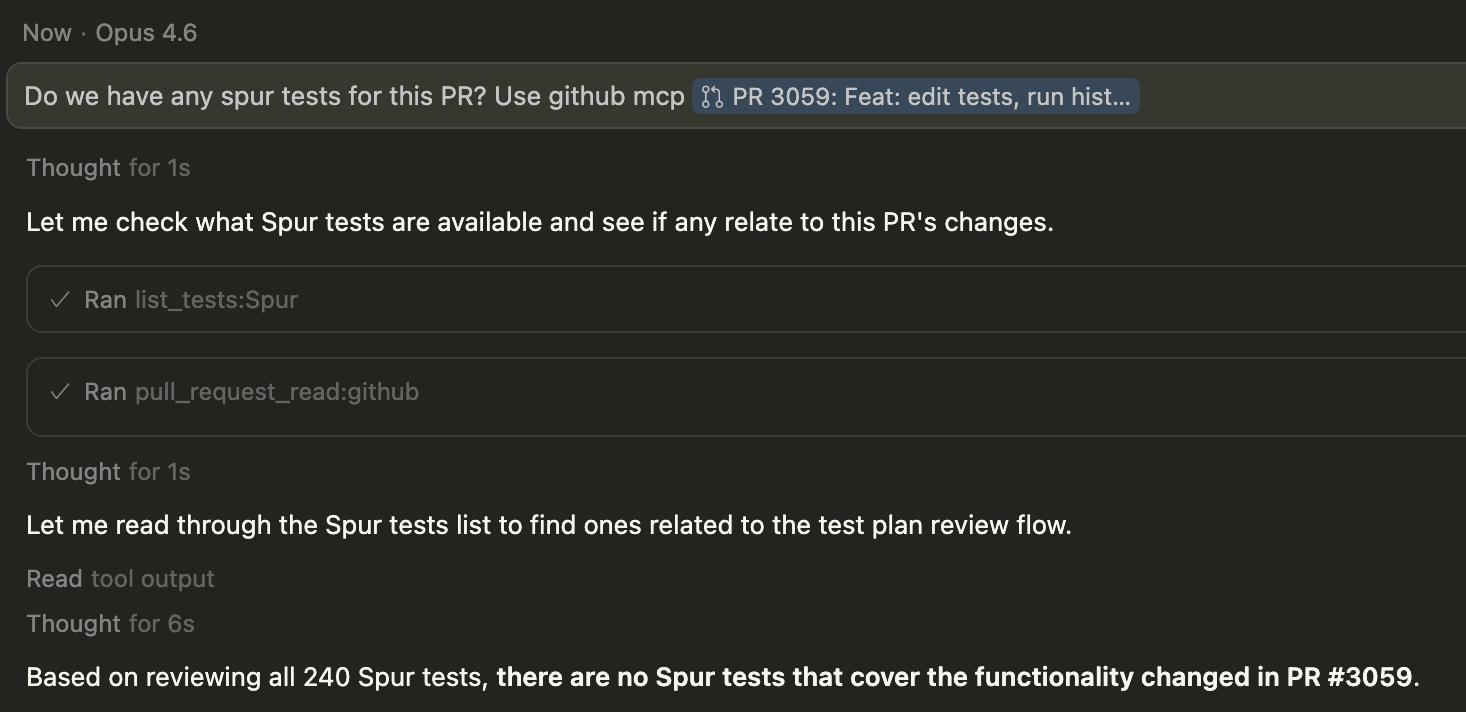
Using the Spur MCP alongside other MCP tools!
Common Workflows
Discover and Run Tests
“Run any tests I have for checkout”The agent finds matching tests and lets you run them directly from the conversation.See this in action
Analyze Failed Tests
“What went wrong in this run?”The agent reviews step results, console logs, and screenshots to surface the root cause.
Summarize Test Coverage
“What is missing from my checkout flow test coverage?”Your agent is provided with information about all your tests across suites and environments to identify gaps.
Fix Raised Bugs
“Help me fix the bug from this failed test”The agent pulls failure details, logs, and context to help you resolve issues in your code.See this in action
Create Tests from Code
“Generate and save tests for this PR”The agent analyzes your code, generates test steps, and creates them directly in Spur via
create_test — no manual copy-paste required.See this in actionRun and Triage Test Plans
“Run the regression suite and tell me what failed”The agent triggers a full test plan run, then walks through every failure with detailed context for each one.See this in action
Connecting with Other MCP Tools
“Run the Spur test that covers this Jira ticket and this GitHub PR”Connect other tools, providing additional context to optimize your testing. Let your AI agent decide what to test.See this in action
In-Sprint Test Generation
“Here’s PR #247 — generate test cases for the search modal changes”Use Claude Code with your codebase context to generate, run, and iterate on tests directly from PRs and tickets — all within your sprint cycle.
Available Tools
Test Discovery
Test Discovery
list_tests – Lists all tests in the active application with IDs, suites, URLs, and scenario table status. Accepts optional filters: test_id for full step-level detail (replaces the old get_test_details), suite_id to scope to a single suite, and query for a name searchlist_suites – Lists all suites with their allowed environments, URL keys, and connected scenario table. Pass suite_id to also return every test in that suitelist_folders – Lists all folders in the active application. Without a folder_id, returns a summary of every folder; with a folder_id, returns that folder’s details and the suites it containslist_scenarios – Lists all scenario tables with columns and row names. Pass table_name to see the full cell values for every row — use this when you need actual data to build test steps or configure a test planlist_environments – Lists all environments with type, validity status, and how many suites can use each one. Pass env_name to see every property and its configured value (URLs, headers, secrets, build references)list_login_tests – Lists login tests compatible with a suite and test type: tests that save login state, cover every environment the suite runs on, and match the platform (web or native). Pass a returned id to create_test or update_test as from_login_test_idlist_test_plans – Lists all test plans with suite counts, environments, and last run time. Pass plan_id to get the full editable configuration — required before calling update_test_planTest Execution
Test Execution
run_tests – Runs one or more tests in a single collection run, grouped by shared configuration. Specify env_name (environment name) along with optional viewport, browser, and scenario_row_namerun_test_plan – Triggers a full test plan run across all configured suites and environmentsRun Analysis
Run Analysis
get_test_run_overview – Start here. Summarizes a run’s status, step results, warnings, and failuresget_test_run_details – Deep dive into steps, sub-steps, configs, and artifacts. Use after the overviewget_test_runs – Lists the last 50 runs for a given testget_recent_runs – Returns the most recent runs across the application or filtered by suite or test within a time window. Results are grouped by collection run and include status, metadata (scenario, browser, viewport, environment, test type), duration, and task_id for drilling into individual runsget_coverage_snapshot – Whole-window coverage aggregates computed server-side over every run in the window: runs and failures per environment, distinct tests run per suite × environment, suites with zero runs, browser and viewport totals, and every failed run. Use this for coverage reports instead of paging get_recent_runsDebugging
Debugging
get_test_run_console_logs – Browser console output and JavaScript errors. Supports contains for case-insensitive substring search and limit/offset for pagingget_test_run_network_logs – HTTP requests and responses captured during the run. Supports contains (URL fragment, status code, or method) and limit/offset for pagingget_test_run_screenshots – Screenshots from the test execution for visual inspectionTest Plans
Test Plans
list_test_plans – Lists all test plans with their names, suites, environments, and last run time. Pass plan_id to get the full editable configuration needed for update_test_plancreate_test_plan – Creates a new test plan grouping suites and environments for coordinated execution. The agent will show you the full plan summary and ask for approval before savingupdate_test_plan – Updates an existing test plan. Always call list_test_plans with plan_id first to get the current configuration — the new suites list replaces the existing one entirelyget_test_plan_runs – Returns recent run history for a test plan: timestamps, pass/fail counts, and run IDsget_test_plan_run_overview – Key triage tool. Shows every test result in a plan run — failures first with failure reasons. Use task_id values from here to drill into individual failures with the run analysis toolsApplication Management
Application Management
applications – Lists all applications on your account, or switches the active one. Omit application_name to list; provide it to switch. All subsequent tool calls will use the newly selected applicationHow to Set Up
Setup Instructions
Get started with Cursor, Claude Code, GitHub Copilot in VS Code, or ChatGPT.
Best Practices
- Allow all tool calls except test execution and authoring: Set your MCP client to auto-approve read-only Spur tool calls. Keep
run_tests,run_test_plan,create_test,update_test,create_test_plan,update_test_plan,save_suite,create_scenario_table,update_scenario_table,add_scenario_rows, andconnect_scenario_tableon manual approval — these tools write or trigger things on your behalf, so you should review what will happen before they proceed. - Model quality matters: More capable models produce better results when choosing the right tools and interpreting test output. Smaller models may need more explicit guidance.