
What are Advanced Configurations?
Advanced Configurations provide powerful capabilities for testing scenarios including A/B testing, header modifications and internal logic validation. Configure these settings in Test Editing Side Peek and customize the test execution environment with browser settings, network conditions and HTTP request modifications.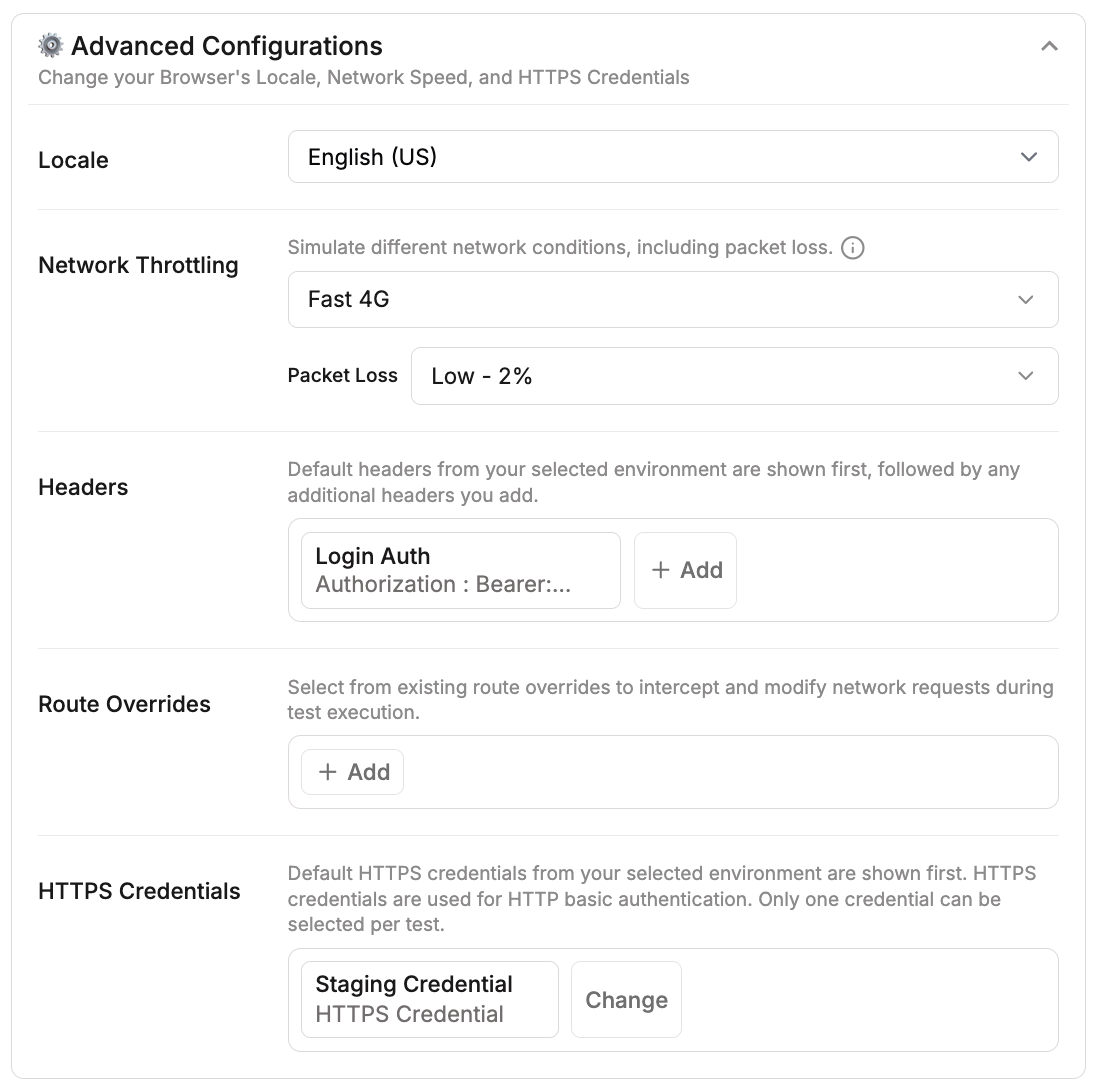
Overview of Advanced Configurations
Configuration Options
Locale
Set browser language and region to test internationalization. Use for testing multi-language support, region-specific content, or currency formatting.
- Testing multi-language product descriptions
- Validating currency formatting (USD, EUR, JPY)
- Testing region-specific content
Network Throttling
Simulate different network conditions including packet loss. Use for testing performance on slower connections and validating loading states.Available options:
- None (default)
- Fast 4G
- Slow 4G
- 3G
- Offline
- Custom
Packet Loss options:
- None - 0% (default)
- Low - 2%
- High - 5%
- Extreme - 10%

- Testing application behavior on mobile networks
- Validating loading states and timeouts
Headers
Add custom HTTP headers to requests. Default headers from your environment appear first, followed by any additional headers you add.
- Adding authentication tokens
- Setting custom API headers
- A/B testing with custom headers
Mock Network Call
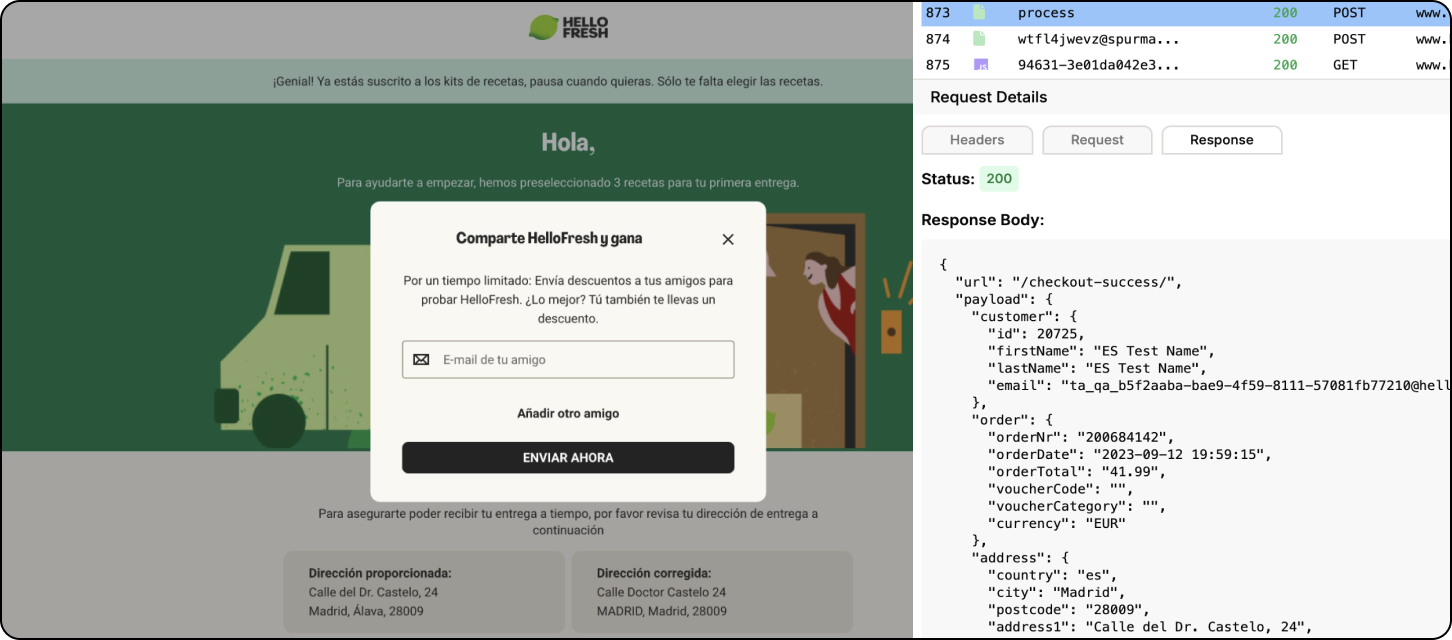
Configure route overrides to intercept and modify network requests during test execution, enabling you to mock API responses, redirect requests or inject test data.
-
Mock API endpoints to control test conditions: Override backend responses to ensure consistent test behavior. For example, mock a checkout endpoint to return a successful order confirmation, allowing you to test post-purchase flows without processing real transactions.
HTTPS Credentials
Configure HTTP basic authentication credentials for tests that require authentication. Default HTTPS credentials from your selected environment are shown first. Only one credential can be selected per test.
-
Testing password-protected staging environments: Authenticate automatically to staging sites that require HTTP basic auth before the Spur Agent begins test execution
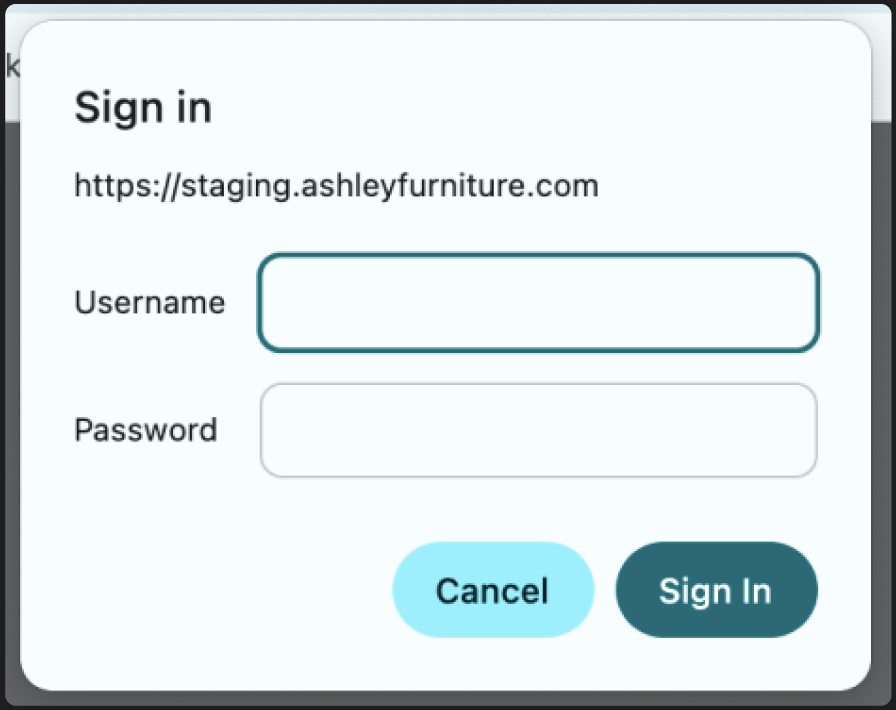
- Accessing internal development servers: Bypass authentication prompts on internal servers during automated testing without exposing credentials in test scripts.
- Validating authentication flows: Test that proper authentication is required and that invalid credentials are rejected as expected.