
Overview
Spur Agent streamlines file uploads through an intelligent two-phase process, ensuring reliable and consistent file handling during test creation and execution. Upload files once during test configuration, then reference them during test execution for seamless file upload testing.Before You Begin
Important requirements:- Maximum file size: 10MB per file
- Maximum 3 files per Test
- Files must be accessible during test creation
- Ensure stable internet connection for reliable uploads
How to Upload Files
1
Navigate to Test Side Peek
During test creation in Test Side Peek, check Include files for upload and upload your files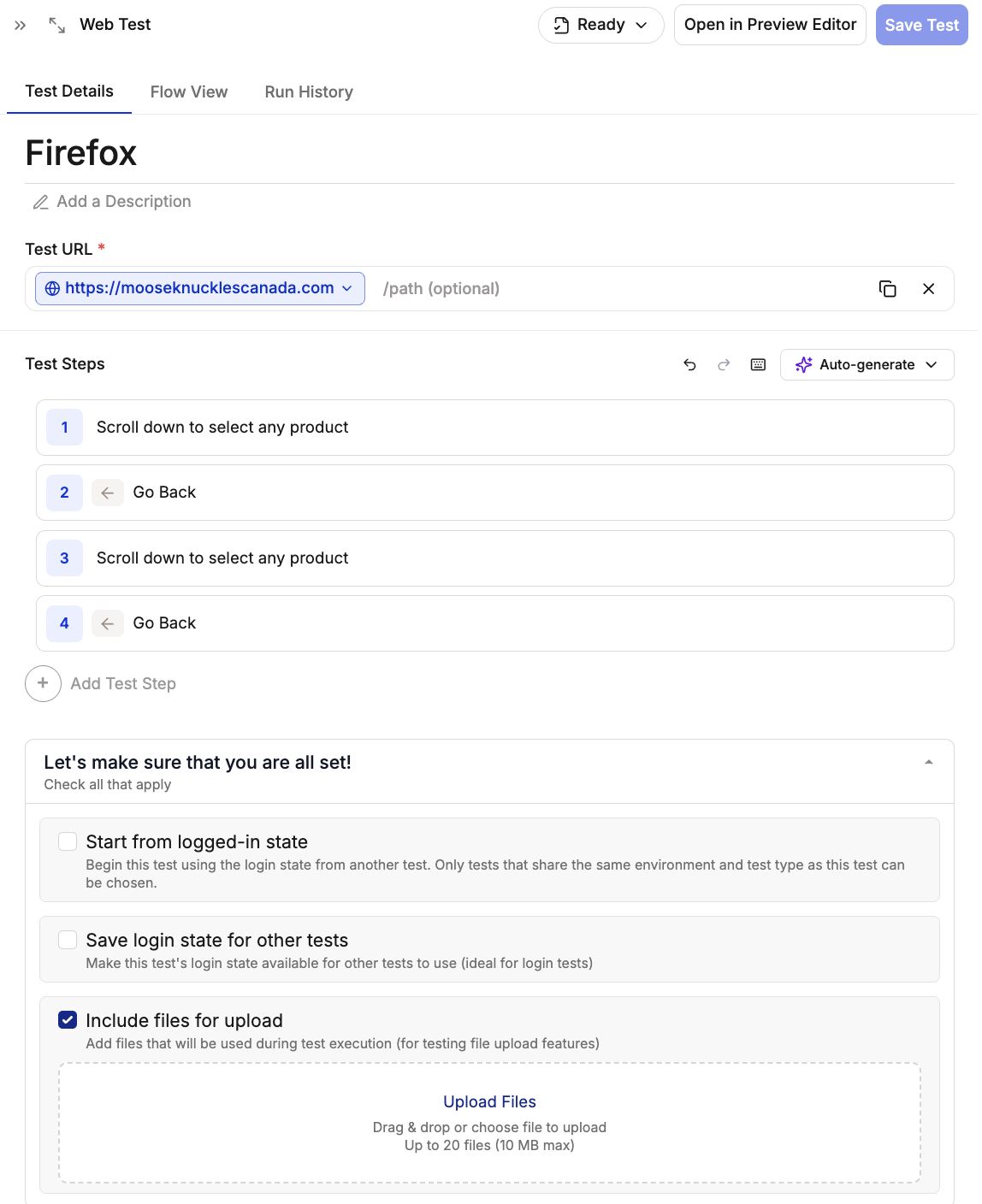
2
Test Execution
Simply tell the agent to click the upload button, and Spur will handle the rest!The Spur Agent automatically locates and validates the file input element, retrieves your pre-uploaded test files, handles the file upload interaction, and verifies successful upload completion.
Supported File Types
Documents
.pdf - PDF documents.txt - Plain text files.xlsx/.xls - Excel spreadsheets.doc/.docx - Word documents
Media
.mp4 - Video files.jpg/.jpeg - JPEG images.png - PNG images.gif - GIF animations
Need support for additional file types? Contact our support team with your requirements!
Troubleshooting
Upload Fails
- Verify file size is under 10MB
- Check file type is supported
- Ensure stable internet connection
- Try refreshing the page and uploading again
Files Aren’t Recognized
- Confirm file extensions are correct
- Try uploading files individually
- Clear browser cache and retry