
What are Login States?
Login states in Spur allow you to manage authentication across your tests efficiently. Authentication is a crucial part of many test scenarios. Spur provides flexible options to handle authentication states across your tests, enabling you to start tests from authenticated states or save login states for reuse. Configure these settings in Test Editing Side Peek.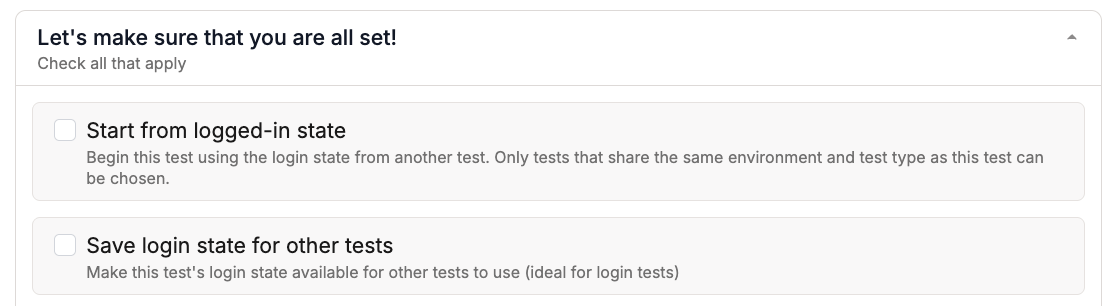
Overview of Login States
Before and After Login States
Without login states, every test that requires authentication must include its own login steps, adding redundancy and slowing down execution. With login states, you save a login session once and reuse it across tests, so they skip straight to the actual workflow.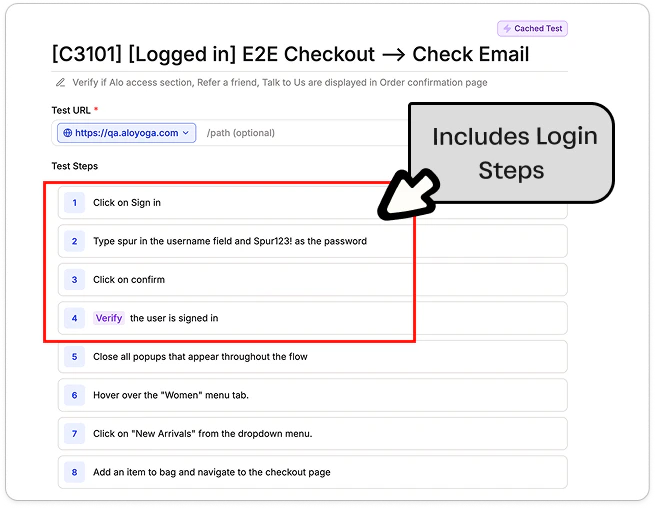
Before: Login steps are repeated in every test
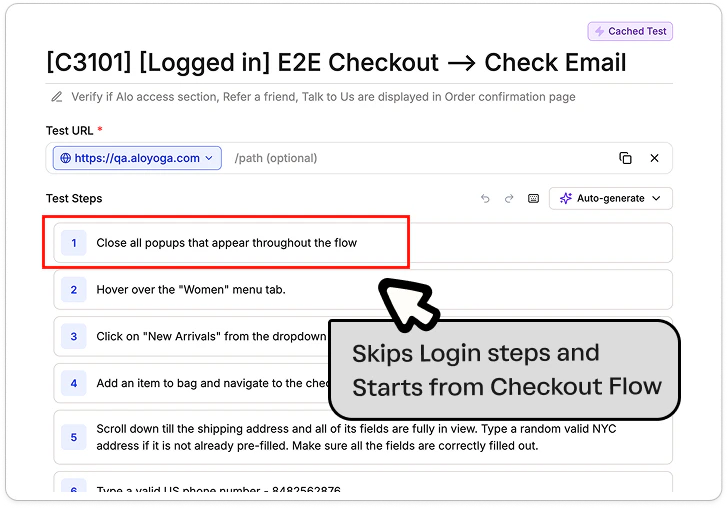
After: Test skips login and starts from the authenticated state
How to Configure Login States
1
Navigate to Test Side Peek
During test creation in Test Side Peek, check below for more information about Login States options.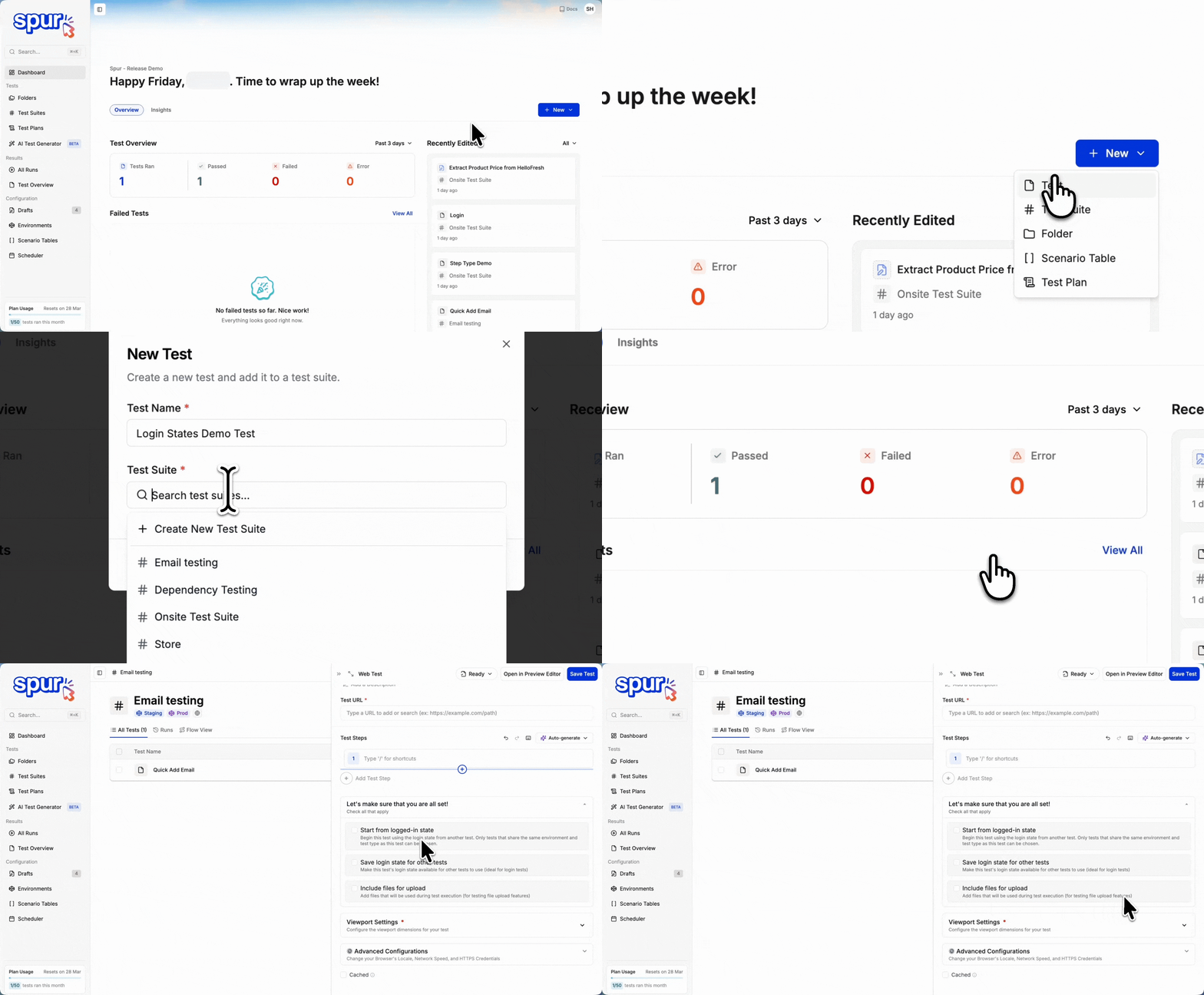
2
Choose Your Login State Configuration
Select the appropriate login state option based on your testing needs.
1
Start from Logged-in State
Begin this test using the login state from another test. This allows tests to skip login steps and start directly from an authenticated state, reducing execution time and improving test efficiency.You can also use Scenario Tables to organize and select login tests directly, streamlining authentication management across multiple test configurations.How it works: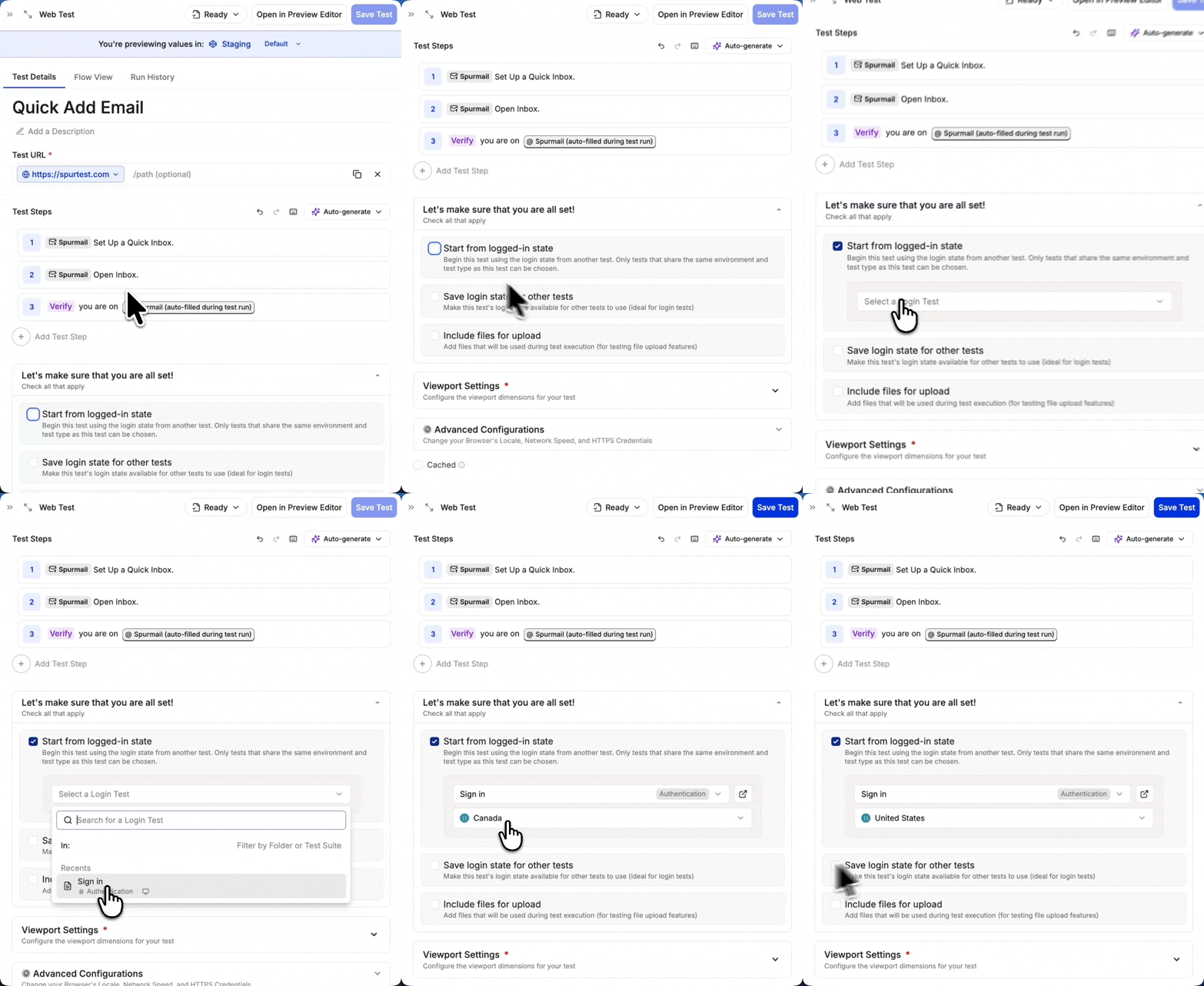
- Check “Start from logged-in state”
- Select a login test from the dropdown
- Your test will begin with the authentication state from the selected test
Use Cases
Use Cases
- Tests that require an authenticated user
- Avoiding redundant login steps
- Maintaining consistent test state
2
Save Login State for Other Tests
Make this test’s login state available for other tests to use. Ideal for creating dedicated login tests that other tests can reference.How it works:
Login states are saved at the end of test execution and can be used by other tests that select this test as their login state source.
- Check “Save login state for other tests”
- Complete your login test
- Other tests can now select this test as their login state source
Use Cases
Use Cases
- Creating reusable login tests
- Making authentication states available across test suites
- Reducing test execution time
Parallel Test Execution with Multiple Accounts
When running tests in parallel, it’s recommended to use different accounts for different test suites to prevent state interference. This ensures:- Tests can run simultaneously without affecting each other’s states
- Each test suite has its own isolated authentication context
- Changes made in one test suite won’t impact the others
- You can maintain predictable test behavior in parallel execution
Best Practices
Create Dedicated Login Tests- Make separate tests for different user roles
- Keep login tests focused and minimal
- Use clear naming conventions (e.g., “Admin Login”, “Customer Login”)
- Save login states from tests that perform authentication
- Reuse login states to reduce test execution time
- Consider test dependencies when managing states
- Use environment variables for credentials
- Regularly update saved login states
- Clear authentication data in teardown tests when needed