
Overview
The Test Overview page shows the latest result for each test across all your suites, giving you a bird’s-eye view of your test suite health. You can quickly see how many tests passed, failed, raised warnings, or encountered errors. Drill into any category to investigate further. This is also where you can manually classify failures and warnings.Results are split by viewport, environment, and browser, so the same test may appear multiple times if it runs in different configurations.
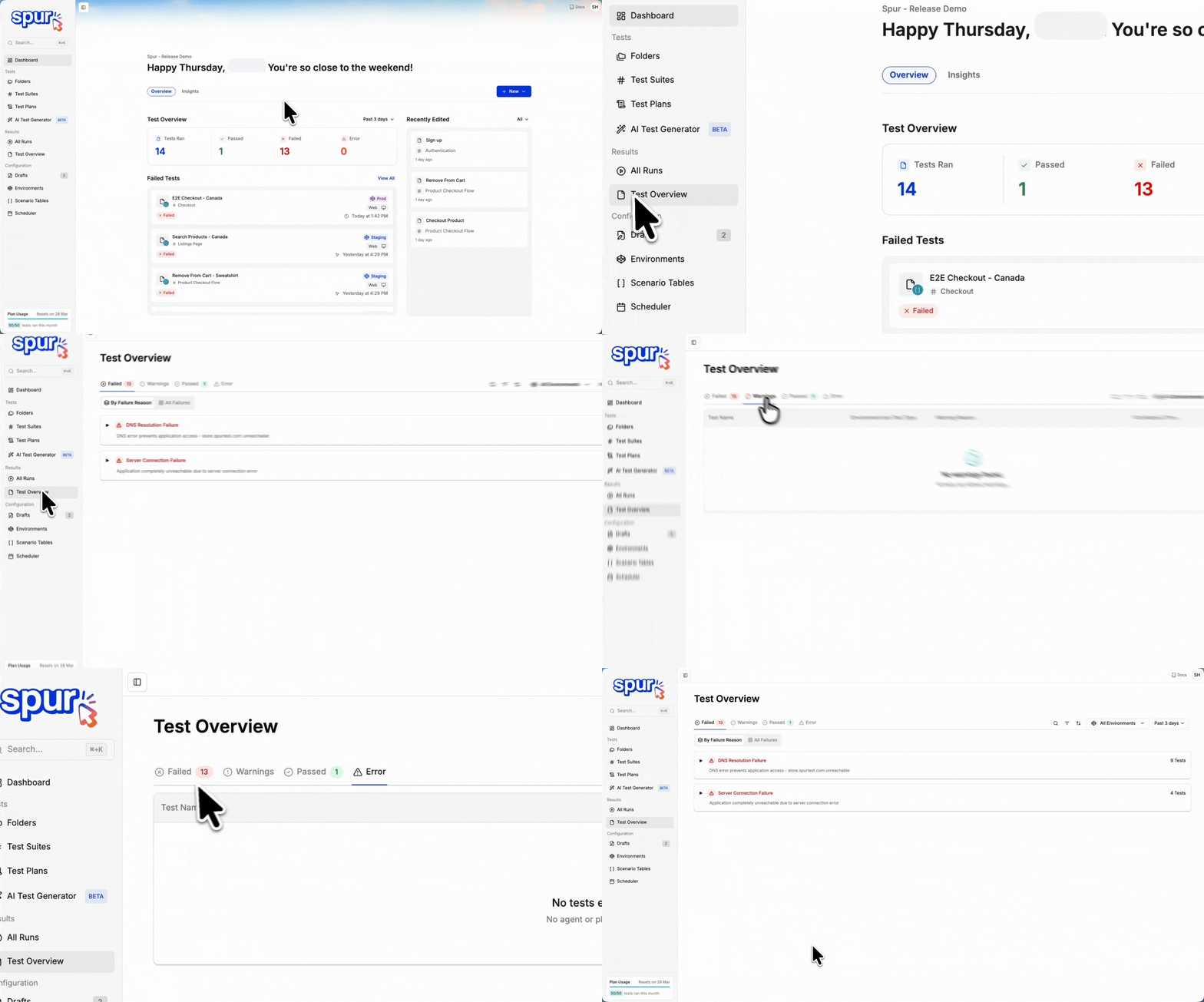
The Test Overview dashboard showing test suite health at a glance
Most recent run status
The Test Overview page always displays the most recent run status for each test:- If a test failed previously but passed on its most recent run, it shows as Passed.
- If a test was passing but failed on its most recent run, it shows as Failed.
- Results reflect the current state of your application, not historical failures.
The Test Overview page shows the most recent run result for each test. To view historical results or track how a test’s status has changed over time, open the individual test run history.
Test status categories
Each test on the overview page is assigned one of four statuses:- Failed — The test did not meet its success criteria.
- Warning — The test completed but encountered non-critical issues.
- Passed — The test completed all steps successfully.
- Error — The test could not complete due to a system-level or execution issue.
Warnings
Tests with a Warning status completed but encountered non-critical issues such as performance degradation or elements approaching threshold limits. These are worth reviewing to catch potential problems before they become failures. For a warning you have already reviewed and accepted, use Warning Suppression to keep it out of your results.
Example of a test with warnings
Understanding failures
Spur automatically categorizes failure reasons across all your folders and test plans. These categories are consistent regardless of which suite or test plan a test belongs to, making it easy to spot patterns across your application.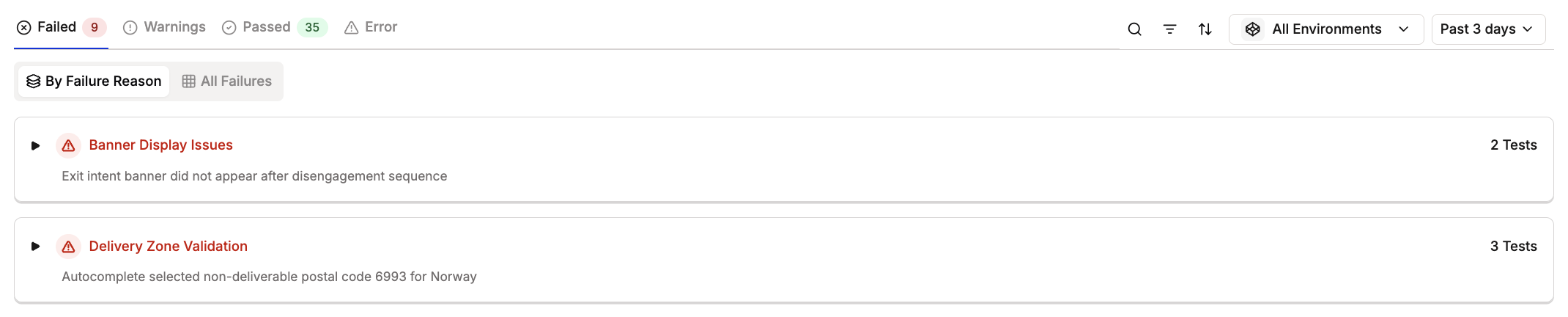
Example of a failed test result
- Spot recurring failure patterns across different parts of your application
- Identify systemic issues that affect multiple test suites
- Prioritize fixes based on failure frequency and impact