During a run, the Spur agent raises warnings for issues that are not hard failures — a cosmetic glitch, a known noisy element, a quirk that exists only in staging. Some of these are already reviewed and accepted. Warning Suppression tells Spur to stop flagging them.A suppression rule is created from a warning in a run. Spur saves the rule as a memory, clears the matching warnings in that run, and checks every later run against it.
Suppression happens after a run finishes, not during it. A rule never changes what the agent does mid-run.
1
The agent records an observation
While the test runs, each warning shows as Waiting on test to finish. Spur has not classified it yet.
2
Spur compares the observations against the saved rules
When the run ends, Spur checks each warning against every suppression rule whose scope covers that run’s environment and test type.
3
Matches become Suppressed, the rest become warnings
A match shows as Suppressed on the step and no longer counts as a warning anywhere in Spur. Everything else becomes a normal warning.
Spur is deliberately conservative here. A suppressed warning is not deleted — it stays on the step and can still be expanded — but it no longer counts, and nobody goes looking for it. Because it is easy to miss, Spur suppresses only when it is confident the warning is the known issue the rule describes. A warning that raises a new concern about the same element stays visible.
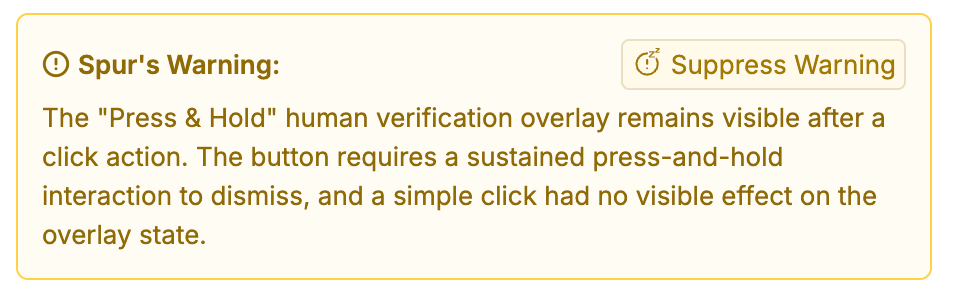
A warning on a run step, with the Suppress Warning action
2
Click Suppress Warning
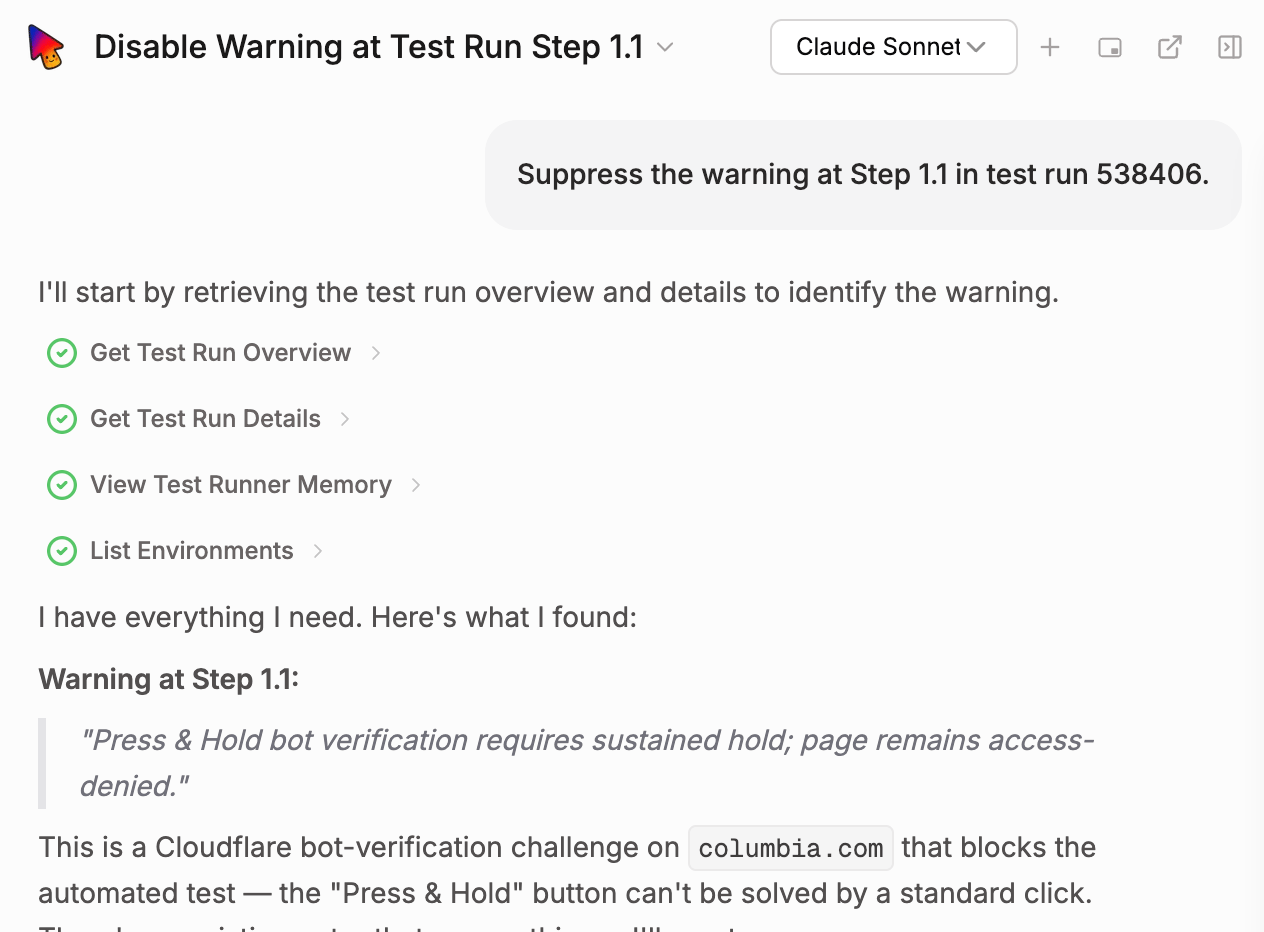
Spur AI opens in suppression mode and retrieves the full warning, the surrounding steps, and any screenshots or logs it needs. Nothing has to be pasted in.Spur AI infers what to suppress from the run, and that inference is a starting point, not the final rule. Say what the rule should cover in the chat. Call out which part of the warning is the accepted behavior, how broadly it should apply, and which environments and test types belong in scope. A short instruction such as “only suppress this on the checkout page, not site-wide” produces a much more accurate rule than accepting the first draft.
Spur AI retrieving the warning and the existing memories
3
Confirm the scope
Spur AI reads the existing memories first. When a rule already covers the warning, Spur AI names that rule instead of creating a duplicate. Otherwise it proposes a scope and asks about anything it cannot infer:
Environments — the run’s own environment, several environments, or All Environments, which also covers environments added later.
Test type — Web (desktop, mobile, or both), Native (iOS, Android, or both), or every test type. Scope matters when a warning is viewport-specific: a mobile layout glitch should not be suppressed on desktop.
Breadth — this exact case, or every case like it. Breadth lives in the wording of the rule.
4
Approve the rule
Spur AI shows the exact text, the environments, and the test type before saving. Nothing is saved without approval.
5
Watch the run clear
Spur applies the new rule to the originating run, so that warning — and every other occurrence of it in the same test run — clears within seconds. Every later run is covered. Runs that finished earlier keep their warnings.
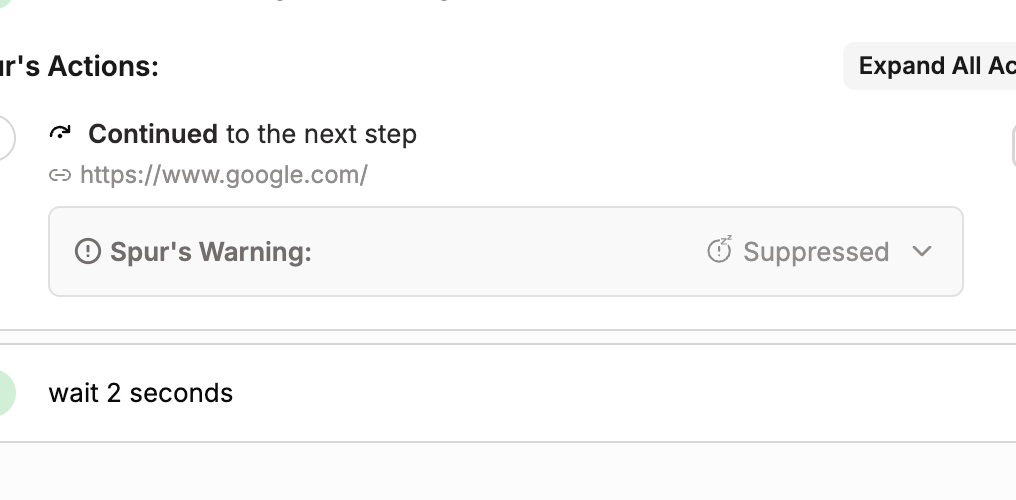
A suppressed warning stays on the step, collapsed, labeled Suppressed. Expanding the card shows the original observation. Hovering the label shows why Spur suppressed it and which memory it matched. The card also carries a View Memory link to the matched rule.
A suppressed warning on a run step
Two other states show up on the same card:
Status
What it means
Waiting on test to finish
The run is still going. Spur classifies the observation once the test finishes.
No Decision
The run ended in an error before Spur could classify the observation. It was never promoted to a warning, so it does not count against the run. Re-run the test to get a decision.
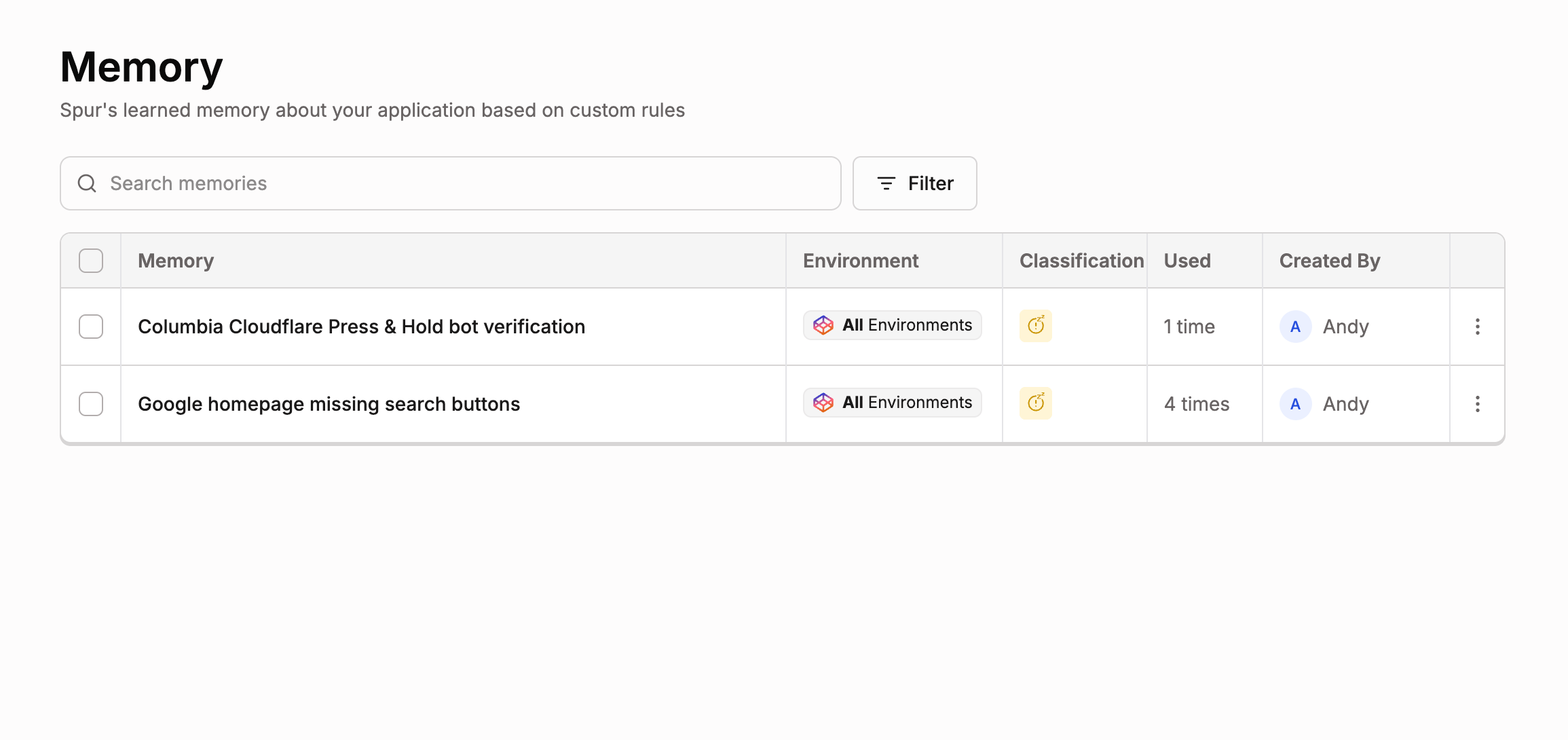
Suppression rules live on the Memory page in the sidebar. The table lists every rule with its environment, classification, how many times it has been used, and its creator. Search memories finds a rule by name.
The Memory page listing suppression rules
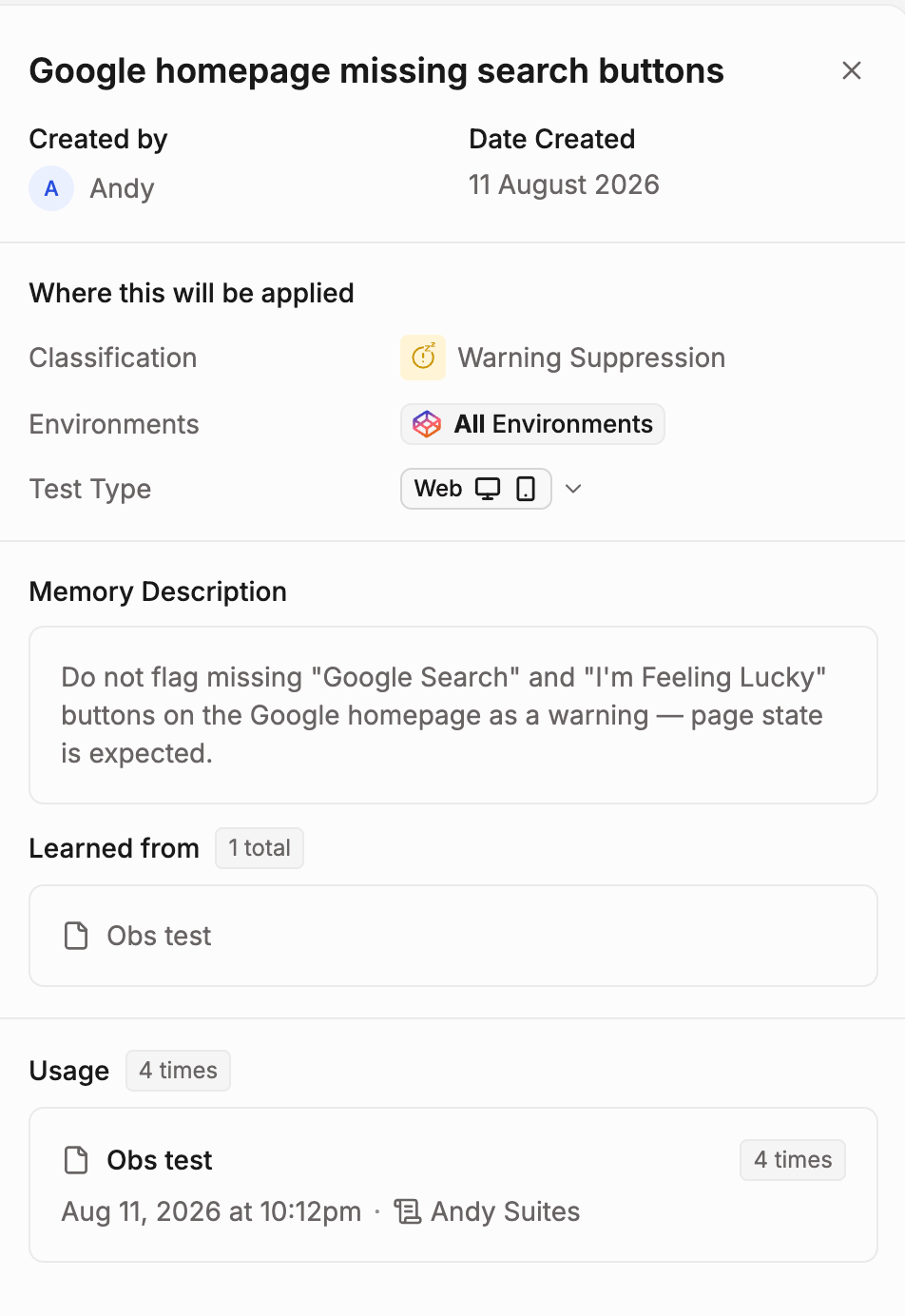
Click a rule to open it:
A suppression rule open in the side peek
Where this will be applied — the classification, the environments, and the test type. The environments and the test type are editable in place.
Memory Description — the rule text itself, per environment. Also editable in place.
Learned from — the run the rule was created from.
Usage — the tests this rule has suppressed warnings on, and how many times.
Delete a rule to stop suppressing the warnings it covers. Deleting cannot be undone, and past runs keep the classification they already have.
The rule text is what Spur matches against, so its wording decides how much gets suppressed.
Keep it to one instruction
One line, one known issue. “Do not flag ‘Cancle’ as a misspelling — it is the intended brand spelling.” A multi-sentence explanation gives Spur more ways to read the rule, not fewer.
Leave run-specific details out
No run IDs, timestamps, or URLs. These never appear in the next run and only make the match less reliable.
Never put credentials or personal data in a rule
Rule text is visible to everyone in the application. Use encrypted variables for secrets in test steps, and keep them out of memories entirely.
Word the rule as narrowly as the decision behind it
“Do not flag the promo banner overlapping the nav on mobile web” suppresses one known layout issue. “Do not flag layout issues” also suppresses regressions nobody has seen yet.
Widen an existing rule instead of adding a second one
Near-duplicate rules make matching unpredictable. When a rule almost covers a new warning, edit its scope or its text rather than creating another rule.
Both keep noise out of test results, but they act on different things.
Warning Suppression hides one known warning while the test keeps running and keeps checking everything else. Use it for accepted behavior that will not change.
Snoozing stops a test from running at all for a set period. Use it during a deployment, or while a known bug is being fixed.
Was this page helpful?
⌘I
Assistant
Responses are generated using AI and may contain mistakes.