Install the Spur GitHub App to auto-generate change-aware browser tests from every pull request diff and trigger relevant saved tests for regression coverage.
The Spur GitHub App analyzes every pull request the moment it’s opened. It looks at the files changed and the actual code diff, then automatically generates a focused set of browser tests that cover the change. Spur also scans your existing test suite and triggers any relevant saved tests, so every PR gets both fresh, change-aware tests and proven regression coverage.
Auto-generated tests
Spur reads the diff and generates tests targeting exactly what changed — uppercase handling, edge cases, new flows, etc.
Relevant existing tests
Spur scans your saved tests and runs the ones related to the changed area of your app.
Preview-aware
Spur picks up the preview deployment URL from your PR (e.g. Vercel) and runs tests against that build.
Re-trigger with context
Mention Spur in a PR comment (@spur or /spurtest) to re-run with extra context like “log in as an admin user.”
Looking for the YAML-based CI/CD setup instead? See the GitHub CI/CD integration — that flow runs your existing test plans on every PR via GitHub Actions. The GitHub Agent described here is a separate, AI-driven flow that generates tests on the fly.
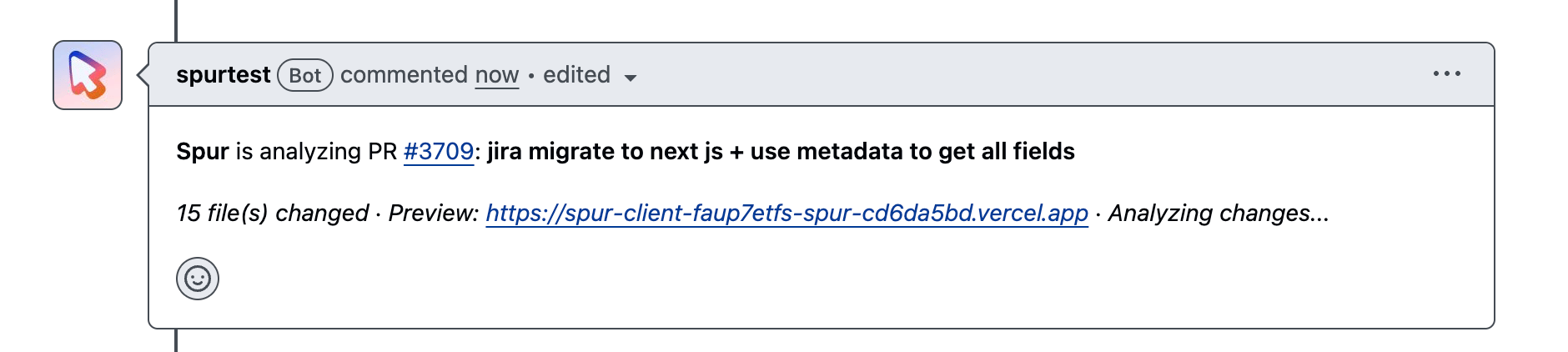
As soon as you open a PR, the Spur GitHub App reads the changed files, the diff, and the PR title and description to understand the change.
Spur analyzes the PR diff to understand what changed
2
Spur generates new tests and finds relevant existing tests
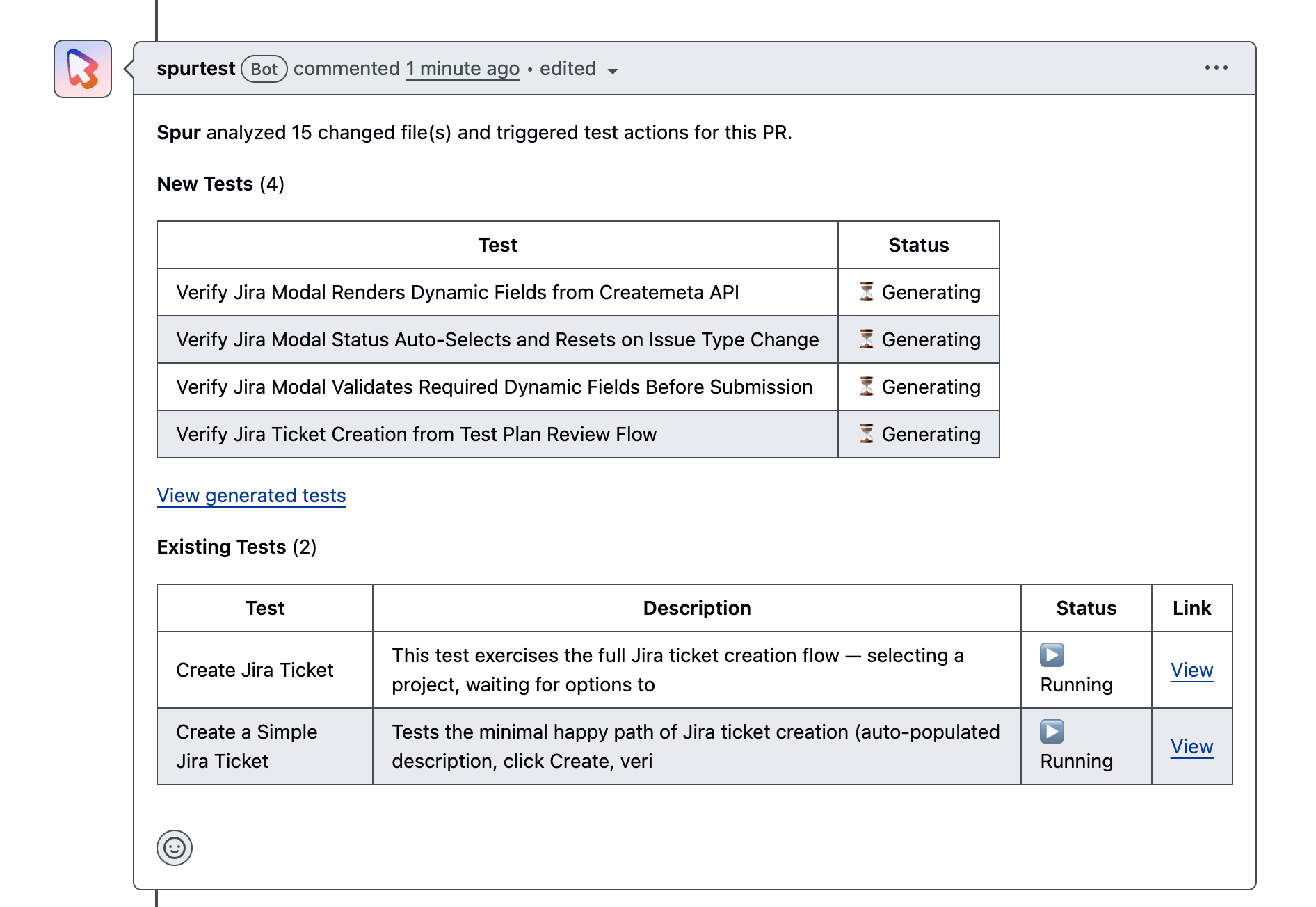
A comment from the Spur app appears on your PR with the set of tests it generated for the change. Each test targets a specific case Spur thinks is worth verifying — for a search-input change, that might be uppercase matching, accented characters, internal whitespace, and case-insensitive matching. Spur also searches your saved tests for ones that touch the same area of the app and kicks those off as part of the same PR run — in the comment, generated tests and existing tests are listed separately so you can tell them apart.
Spur posts a comment with generated and existing tests and their statuses
3
Tests run on the preview deployment
Spur automatically detects the preview URL from the PR (for example a Vercel preview) and runs every test against that deployment. No environment configuration is required for the per-PR run.
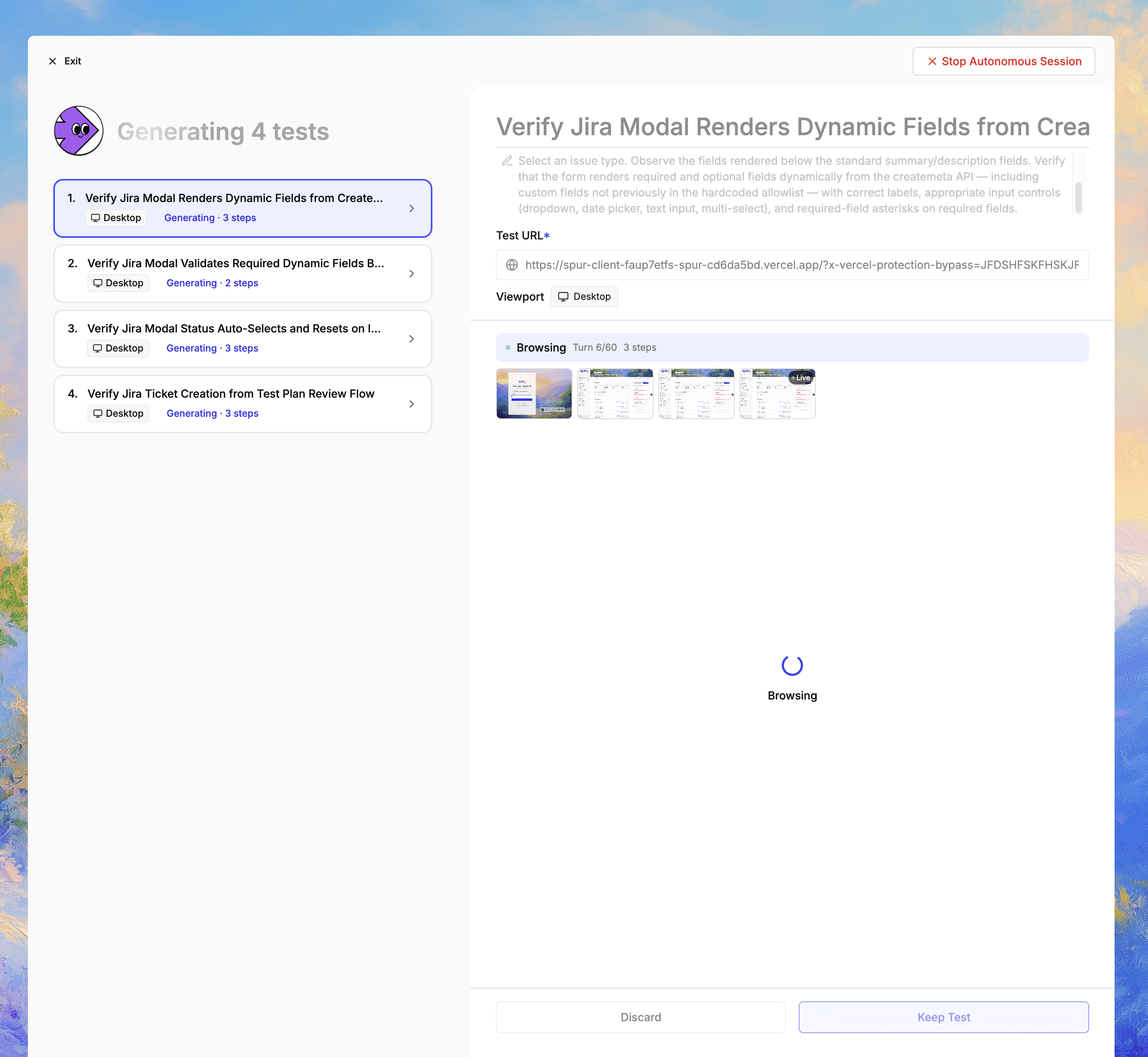
Click the View Generated Tests link in the Spur PR comment to open the full run on Spur. You get everything a normal Spur test run gives you:
The full list of steps the agent executed
Screenshots at each step
The deployment URL the test ran against
Pass/fail status and failure reasons
If a test fails, this is the place to dig in — step through the screenshots, read the agent’s step descriptions, and figure out whether the failure is a real regression or a flaky expectation in the generated test.
Deep-dive view of a test run, with steps and screenshots
By default, generated tests are discarded after the PR run — they’re scoped to that PR and don’t pollute your suite.If a generated test is good enough that you want it to keep running on future PRs and as part of your test plans, save it:
1
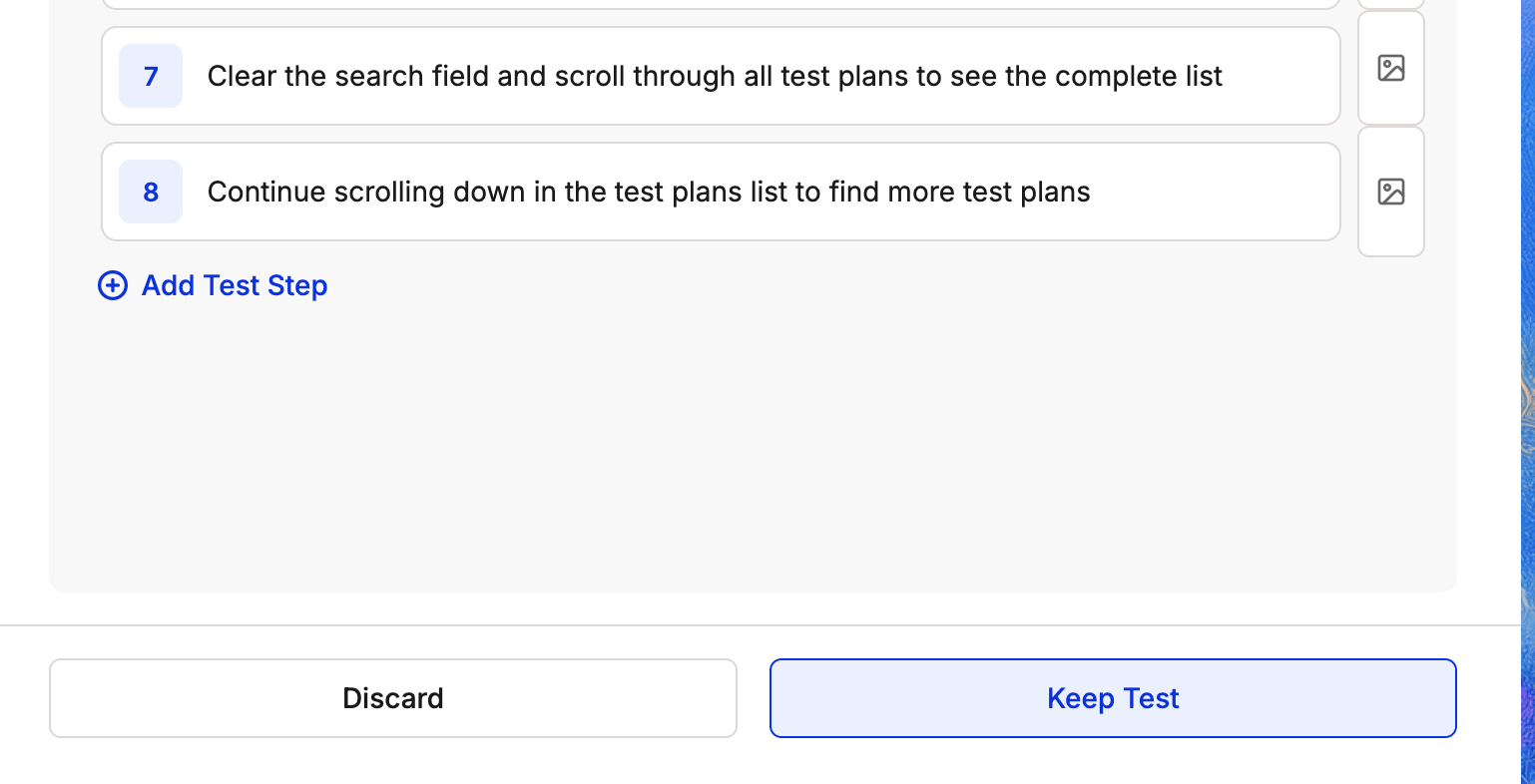
Click Keep Test
On the test result, click Keep Test.
Promote a generated test into your saved suite
2
Add it to a suite
You’ll be prompted to add the test to an existing suite or create a new one. Once saved, the test behaves like any other Spur test and will be re-triggered on future PRs that touch the same area of the code.
For tests that came from your existing suite, the test result is identical to a normal Spur run — no extra step needed.
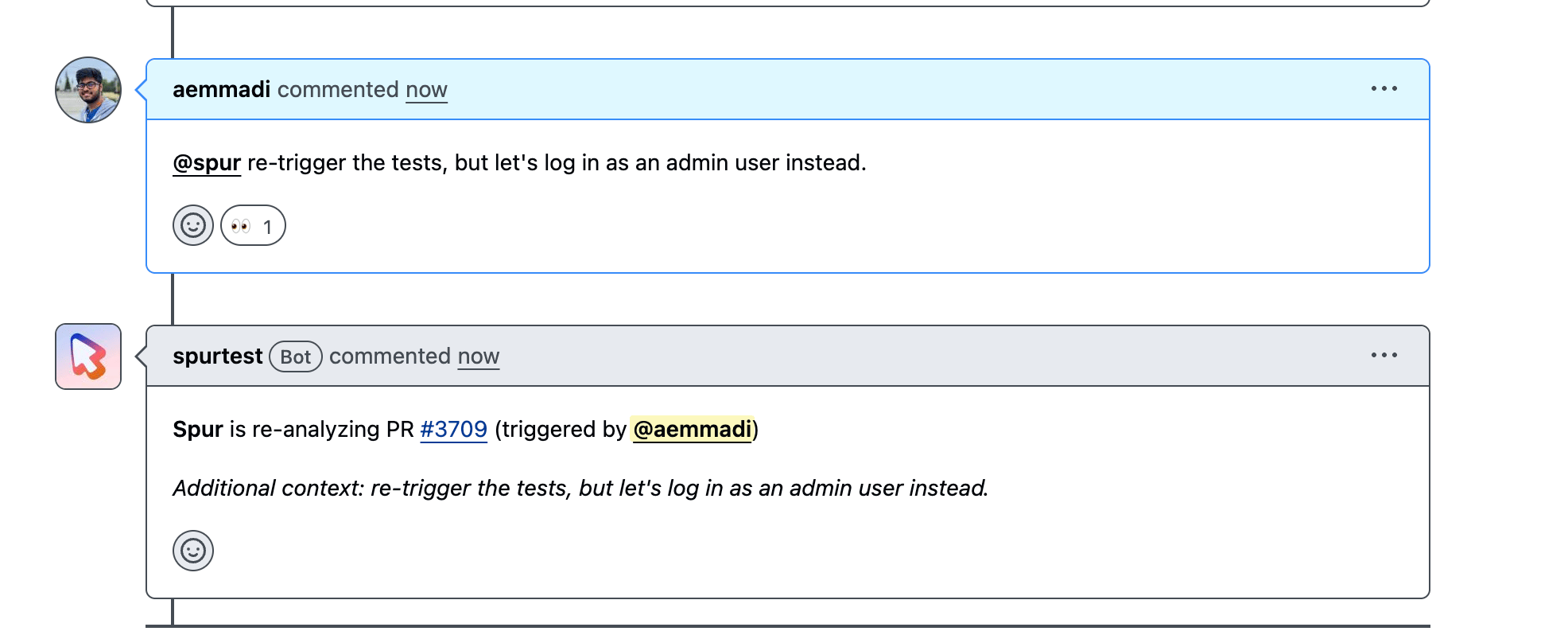
You can ask Spur to re-analyze a PR and apply new context by mentioning the app in a PR comment. Both @-mentions and /-prefixed triggers are accepted — use / if you want to fire the agent without sending a GitHub notification to the bot account.
@spur re-trigger the tests, but let's log in as an admin user instead.
/spurtest re-run against the new preview, log in as admin.
The following triggers all re-run the agent: spur, spurai, spurtest, spurbot, spuragent. Either @ or / works as the prefix.When you submit the comment, Spur:
Reacts to the comment to confirm it picked up the trigger.
Re-reads the PR diff and preview URL.
Generates a fresh set of tests and re-runs any relevant existing tests, applying your extra context (in the example above, logging in as admin instead of a normal user).
Posts the new run back to the PR.
The entire comment is passed to the agent as context — instructions written before the trigger are kept too, so you can write a sentence and then drop the mention at the end. The extra context is also forwarded to relevant existing tests that Spur re-runs, not just freshly generated ones.This is useful for nudging the agent toward specific user roles, prerequisite states, or operational quirks of your app that aren’t obvious from the diff alone.
Re-trigger a run by @-mentioning Spur with extra context
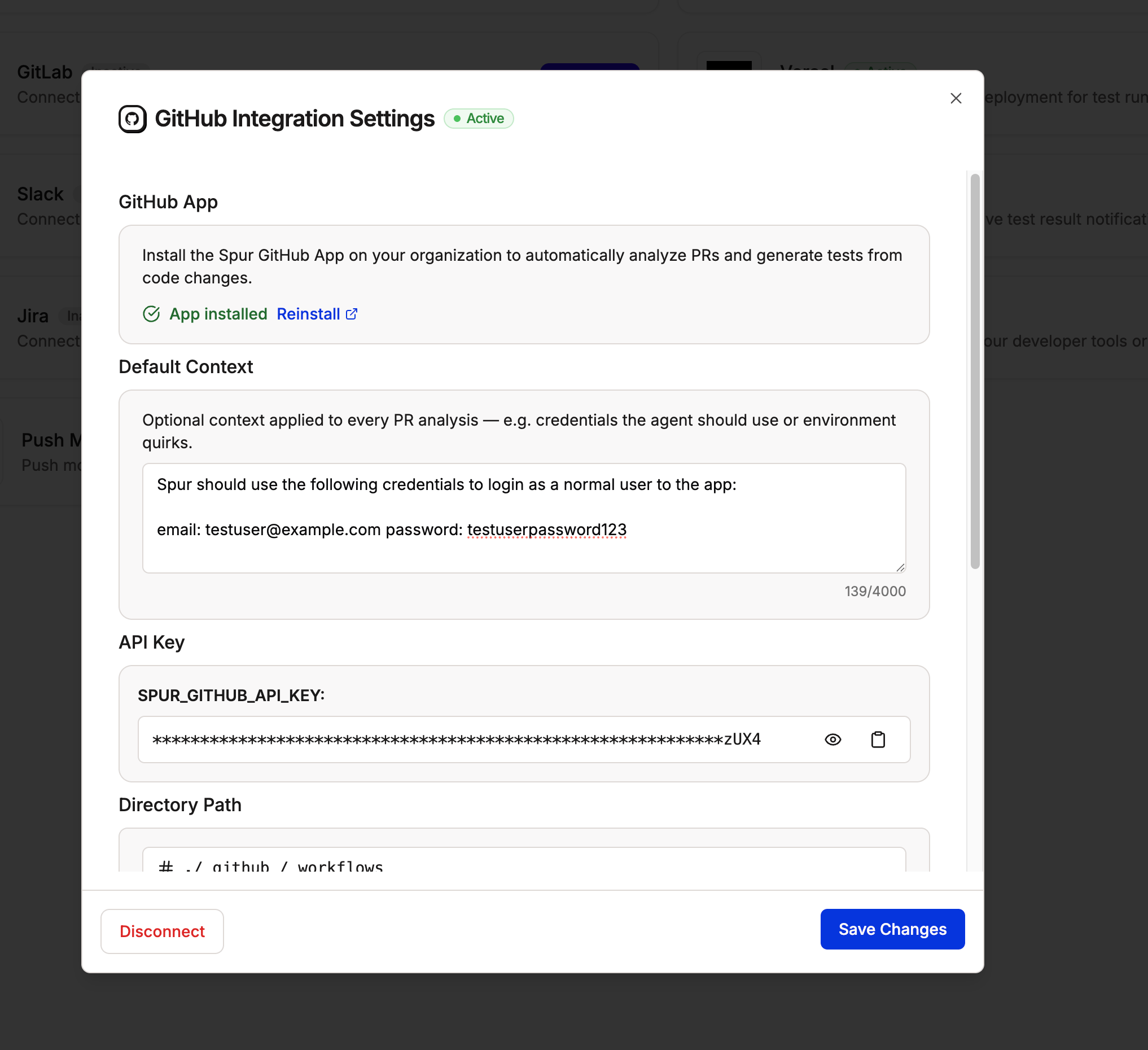
If you find yourself repeating the same context on every PR (“log in as admin,” “the staging env requires this header,” etc.), set it once as default context on the integration.
1
Open the GitHub integration
In Spur, go to Integrations and open GitHub.
2
Add default context
Find the Default context section. Enter any prerequisites or operational notes you want Spur to apply on every PR run — for example, admin credentials, normal user credentials, required feature flags, or UI quirks the agent should be aware of.
Default context is applied to every PR run
3
Save changes
Click Save Changes. From now on, every PR analysis Spur runs will include this context alongside the PR diff, weighted into how it generates and selects tests.
Default context is global — it’s applied to every PR. Use a PR-comment @-mention when you only want extra context for a single run.
No. Generated tests are discarded by default after the PR closes. Click Keep Test on any generated test to promote it into one of your suites.
How does Spur pick which existing tests to run?
Spur scans your saved tests and matches them against the area of the app that changed in the PR. Only tests Spur considers relevant to the diff are triggered — your full suite is not run on every PR.
What deployment URL does Spur run tests against?
Spur extracts the preview deployment URL from the PR automatically. Vercel preview deploys are supported out of the box; other providers that post a preview URL in PR comments also work.
Can I re-run tests after pushing new commits?
Yes. Push new commits and trigger Spur in a PR comment (@spur, /spurtest, or any of the other aliases) asking it to re-trigger. Spur will re-analyze the latest diff and preview URL.
Was this page helpful?
⌘I
Assistant
Responses are generated using AI and may contain mistakes.