
Some of what your site shows depends on where the visitor is: cookie banners, pricing and currency, language, and other region-specific content. A test run location lets a test visit your site as someone in another country.

Set a test run location

Open the test’s Settings, expand Advanced, and open Test Run Location. Search for a country, city, language, or timezone, then pick a location. Picking a location also picks its language.
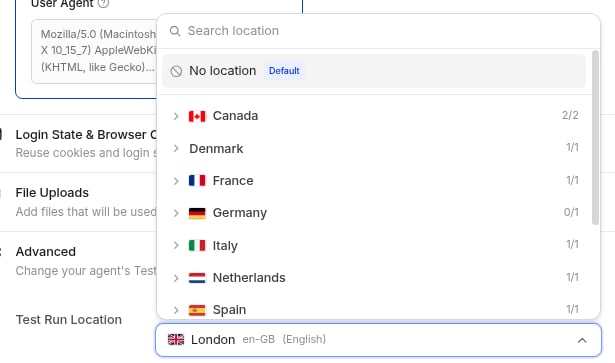
Test Run Location list open in a test's Advanced settings, with London en-GB selected
The test’s traffic goes through a regional gateway for that location. If your site allowlists IPs, ask the Spur team for the gateway IPs too. See IP Whitelisting. Available locations include United States, Canada, United Kingdom, France, Germany, Italy, Spain, Netherlands, Denmark and Sweden; contact Spur for others. Test run locations are an add-on. Contact Spur to turn on the locations you need. For every option, see Advanced Configurations.

Run the same check across locales

Make one test per locale, each with its own location, and keep them in one suite. One run then shows the result for every market.
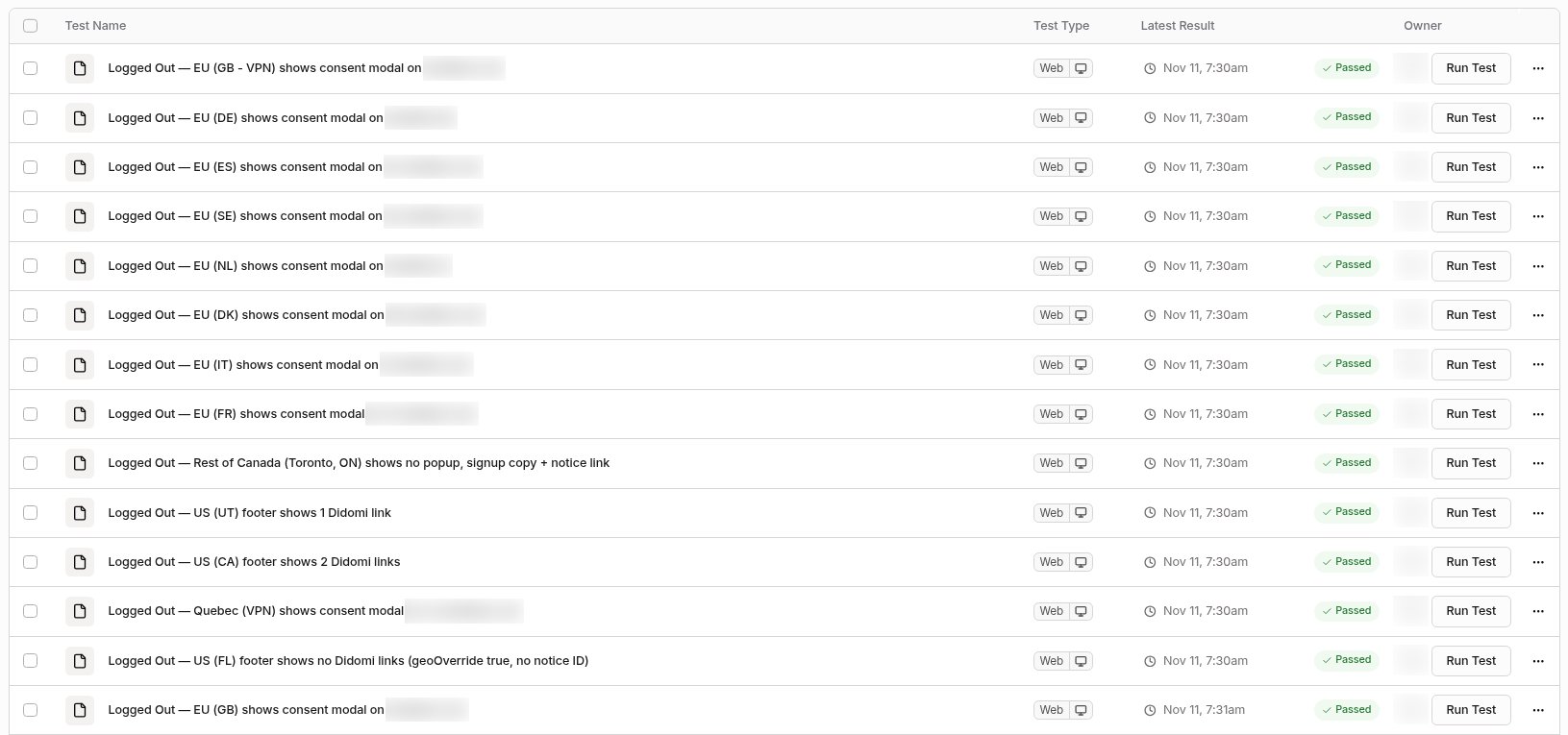
Suite results with one cookie consent test per locale, all passing