When to use extract
Use an extract step when your test needs to remember a value from one page and use it on another. Common scenarios include:- Cross-page validation — You’re on a product listing page (PLP) and want to capture a product name and price, then verify those same values appear correctly on the product detail page (PDP) and again at checkout.
- Capturing generated data — Your application creates something new (an order confirmation number, a ticket ID, a username) and you need that value in a later step or a dependent test.
- Dynamic content — The data changes on every run (timestamps, generated emails, randomized content), so you can’t hardcode it in your test.
Extract captures what is currently visible on the page. Add the extract step at the point in your test where the value you need is on screen.
How to add an extract step
1
Open the step menu
Type 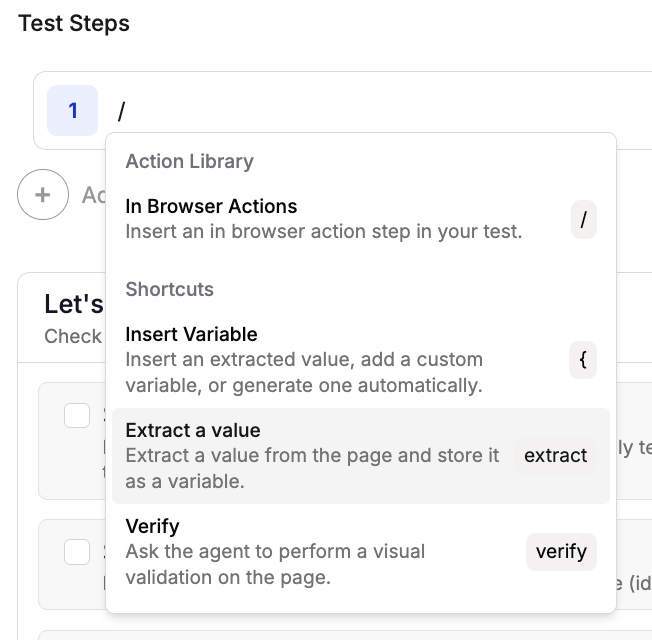
extract in the step input, or use / and choose Extract a value.2
Configure the extraction
Enter a Variable Name and an Extraction Instruction that tells Spur exactly what to capture from the page. You can extract up to 5 variables in a single extract step.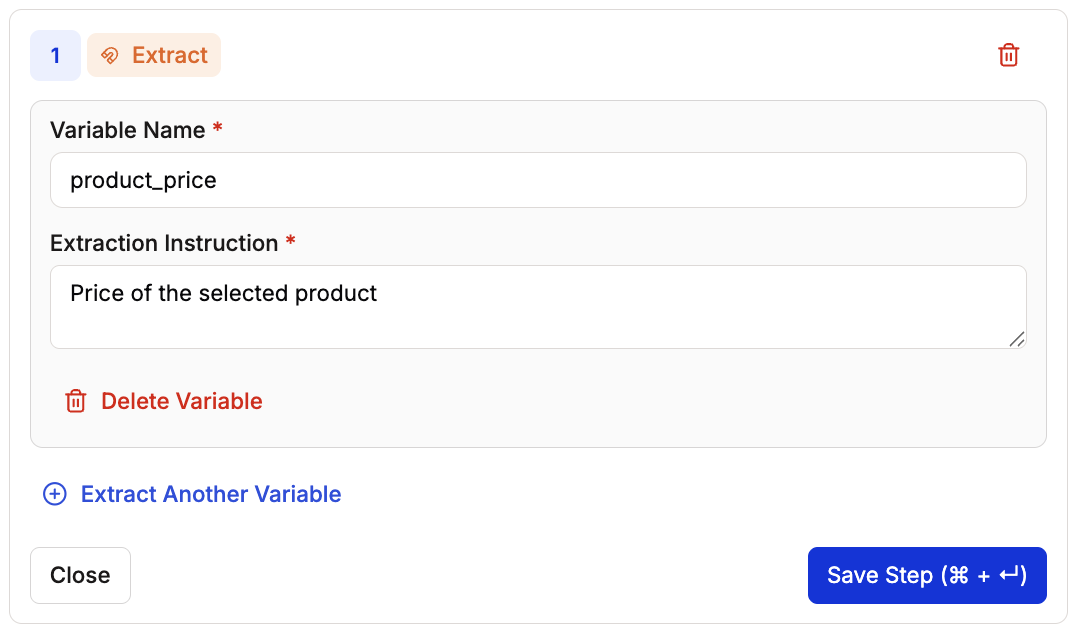
3
Save the step
Click Save Step. The step now shows the variable name it will extract.
4
Use the variable in later steps
In any subsequent step, type 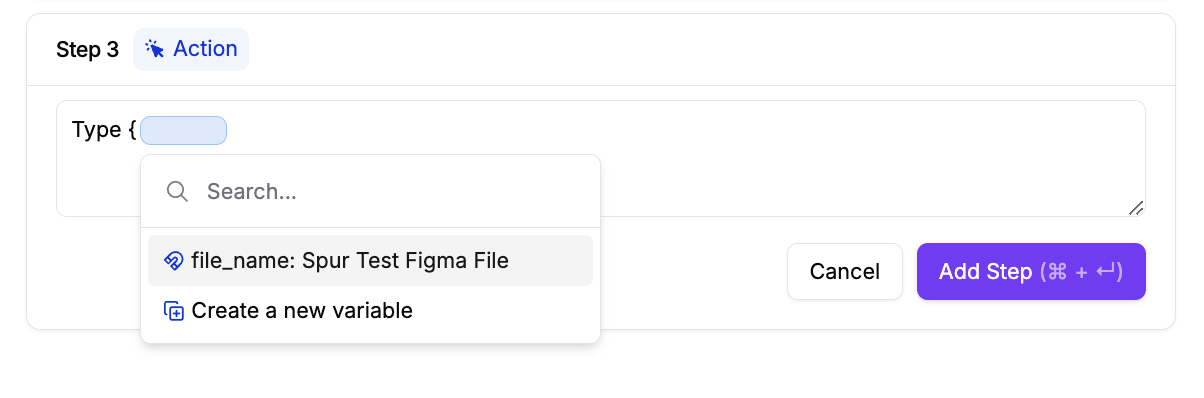
{ to open the variable menu and select your extracted variable.
Example: Validate product data across pages
A common e-commerce test needs to verify that a product’s name and price stay consistent from the listing page, through the detail page, and into the cart. Here’s how to build that with extract steps:1
Extract the product name on the PLP
On the product listing page, add an extract step to capture the product name into a variable called
PRODUCT.2
Click into the product
Use the extracted variable to click on the correct product:
Click on {PRODUCT}.3
Extract the price on the PDP
Now on the product detail page, add another extract step to capture the price into a variable called
PRICE.4
Add to cart and verify
Click Add to cart, then add a verify step to confirm the cart shows the correct product name and price using your extracted variables.
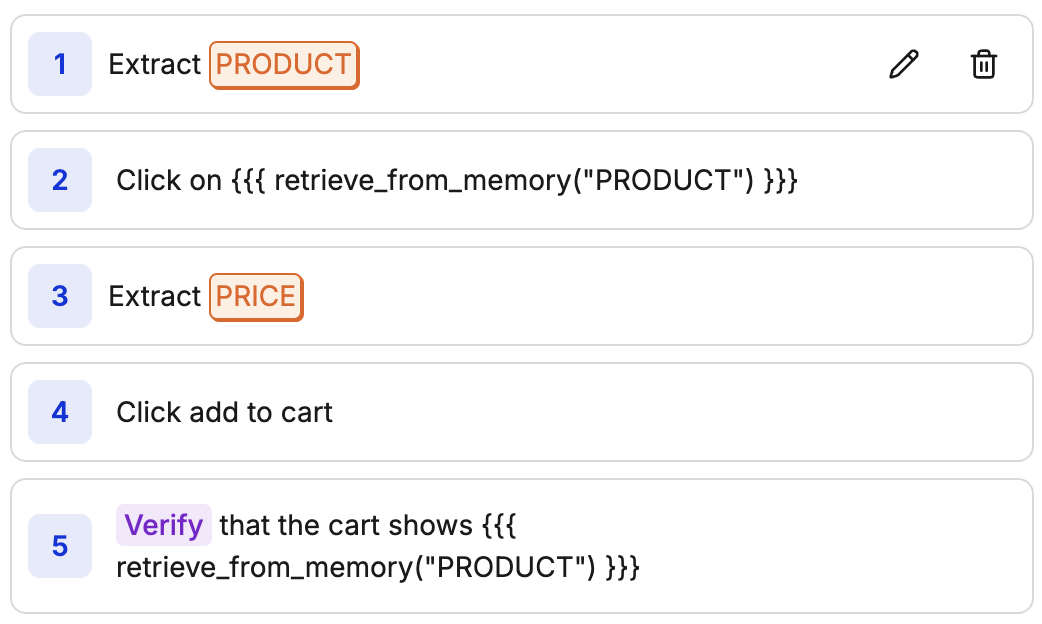
PRODUCT and PRICE variables — no need to extract again.
Example: Capture a confirmation number for a dependent test
When your application generates data (like an order confirmation number), you can extract it and pass it to a future step or a dependent test:- Complete the flow that generates the data (e.g., place an order).
- Add an extract step to capture the confirmation number into a variable like
order_id. - In a later step, reference
{order_id}to look up or verify the order.
Generating random emails
You can generate random email addresses directly in your test steps using natural language. This is useful for sign-up flows, form submissions, or any scenario that requires a unique email each time. In a Type step, describe the email format you want. For example:abcdefghij1@testdomain.com on each run. To reuse this email later in your test, add an Extract step right after to save it as a variable.
Accessing extracted variables in JavaScript
You can access extracted variables in JavaScript steps using thewindow.env or env object:
Email_address, you can reference it in a JavaScript step as window.env.Email_address or env.Email_address.
More examples
Form validation — verify error messages
Form validation — verify error messages
Extract an error message into a variable, then verify it matches the expected text. Useful when error wording is dynamic or locale-dependent.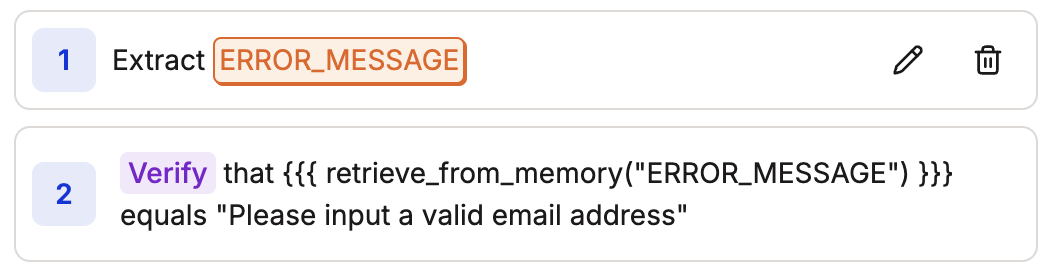
Dynamic data — capture multiple values at once
Dynamic data — capture multiple values at once
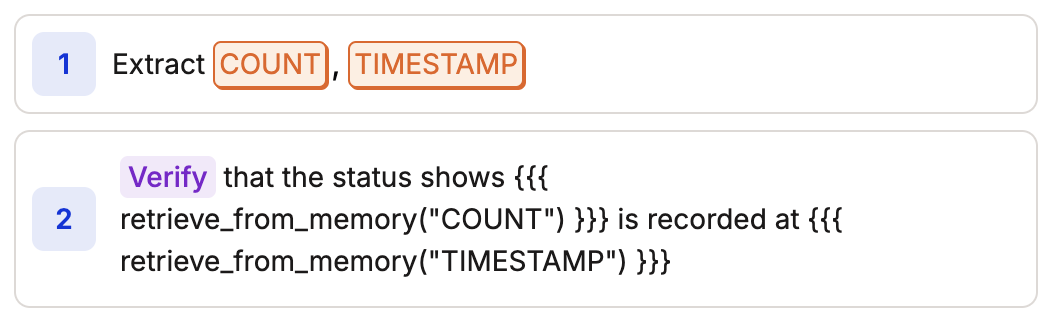
Extract multiple values (like a count and a timestamp) in a single extract step, then use both in a verify step.