
Use the Verify step type for an assertion. Spur has no step type named Check. State the expected result, for example “Verify that the confirmation message is visible.”
Steps to use verify action
1
Type verify
Begin by typing 
Verify to author a verify action.2
Write your assertion
Describe the element or state you want to check.
3
Run and view results
After executing your verify action, you can view the result of your assertion.
Basic usage
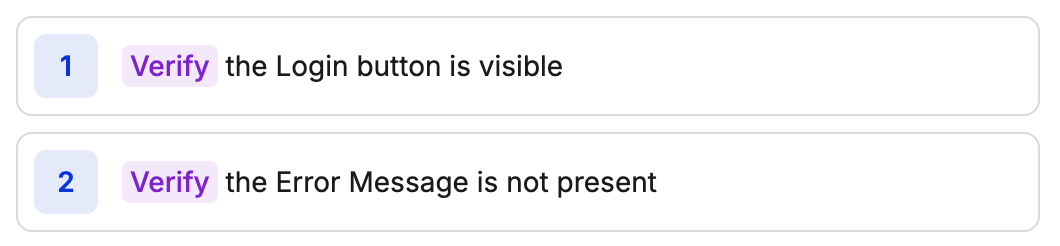
Element presence
Element presence
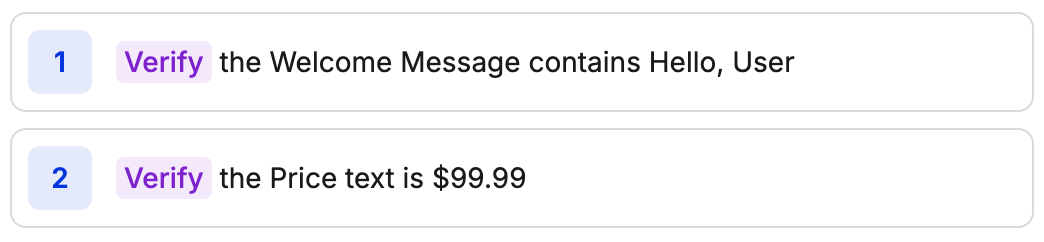
Content validation
Content validation
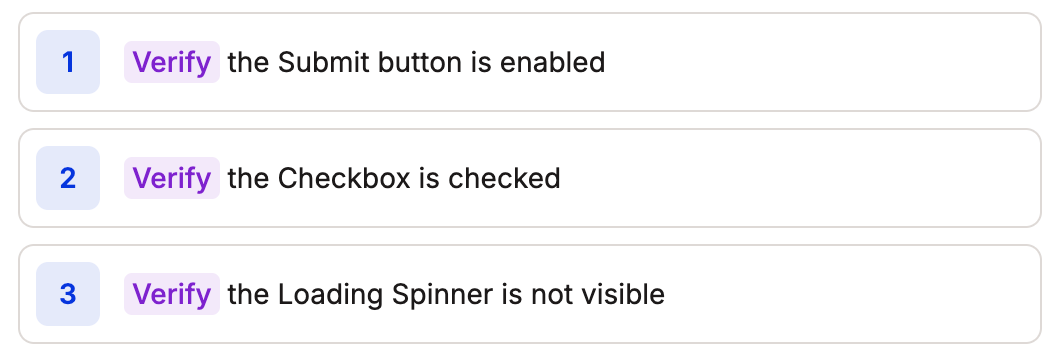
State checks
State checks
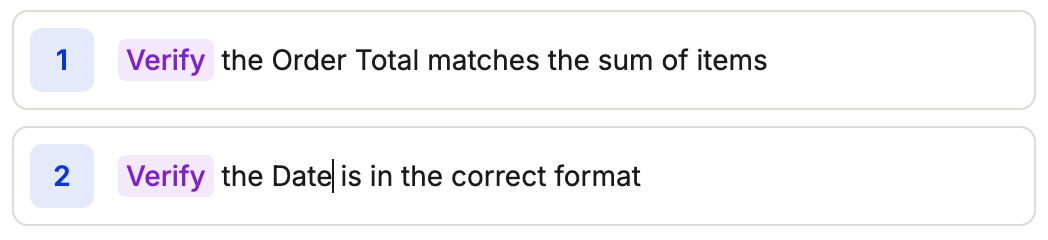
Custom verification
Custom verification
Common testing flows
Form validation
Form validation
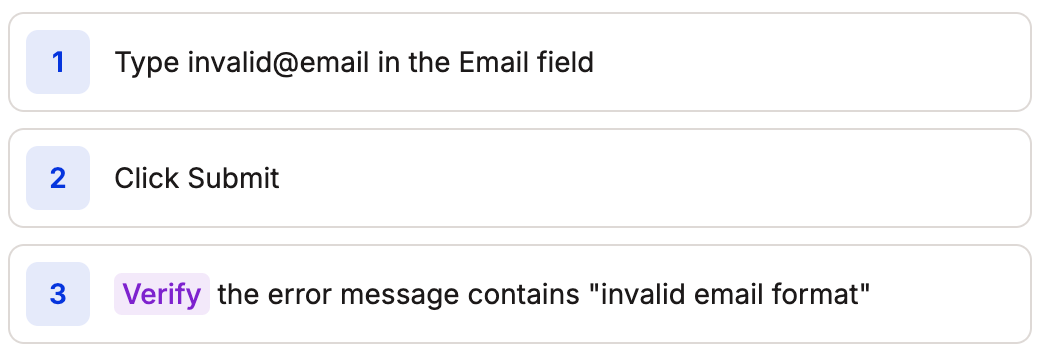
Content loading
Content loading
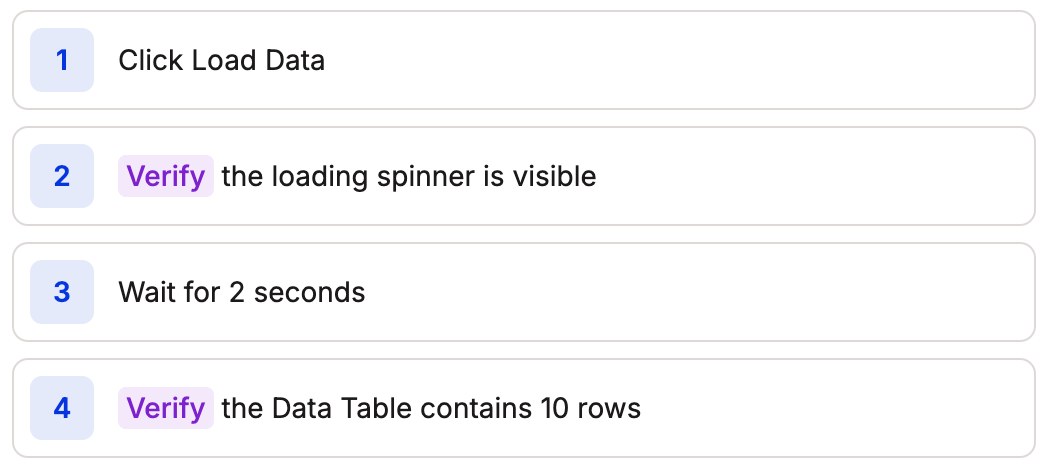
UI state
UI state
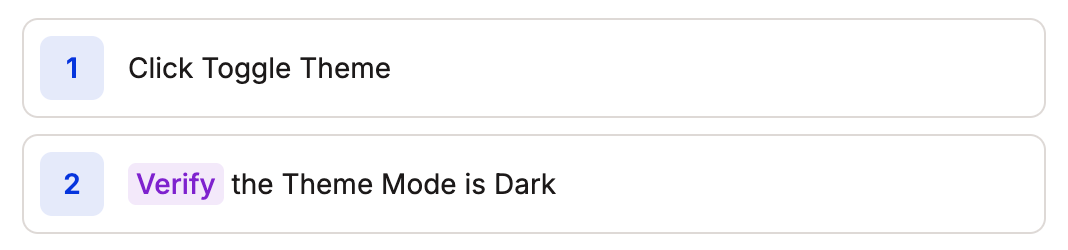
Best practices
- Be Specific: Use clear, specific element descriptions and expected values
- Timing: Add appropriate waits before verifications when needed
- State Management: Verify important state changes after actions
- Multiple Conditions: Combine verifications when needed

example of combined verifications
- Dynamic Content: Use flexible matching when appropriate

example of flexible matching
- Complex Validation: Use JavaScript for advanced verification
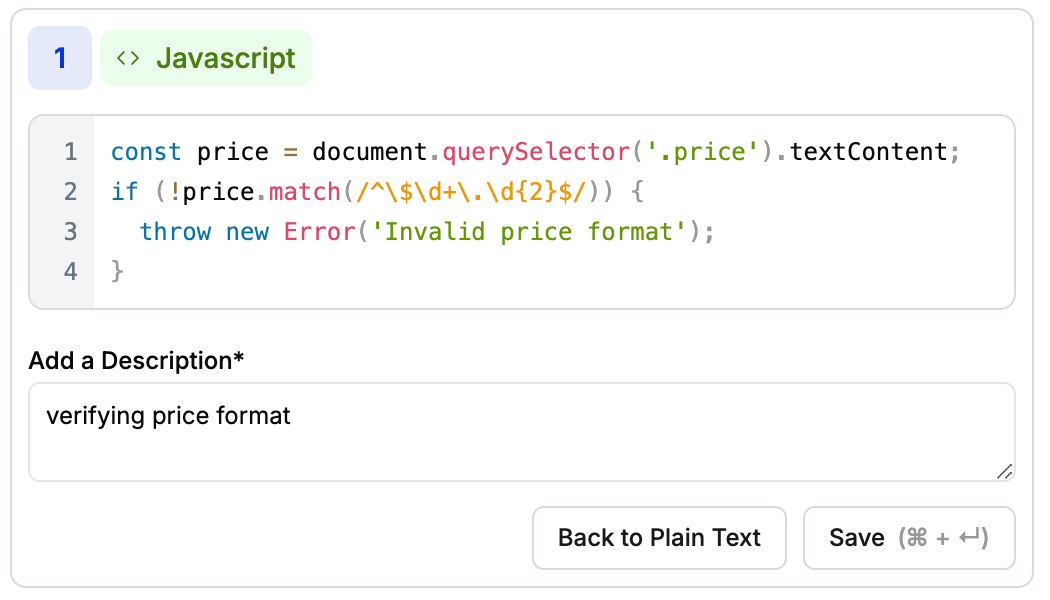
example of javascript for verification
Troubleshooting
When a verification fails, Spur provides:- Detailed error messages
- Screenshots of the failure state
- Console logs and network requests