
Overview
The Close the Current Tab browser action closes the active browser tab. This only works on tabs that were opened through a browser action (such as Open New Tab) — it cannot close the original tab that the test started on. Use this when your test opens a new tab to perform a task (like verifying content on a separate page) and needs to return focus to the original tab to continue the flow.
Close the Current Tab Step
How to Access
- Type
/in an empty test step to open the shortcuts menu - Navigate to “Browser Actions”
- Select “Close the current tab” from the list of available actions
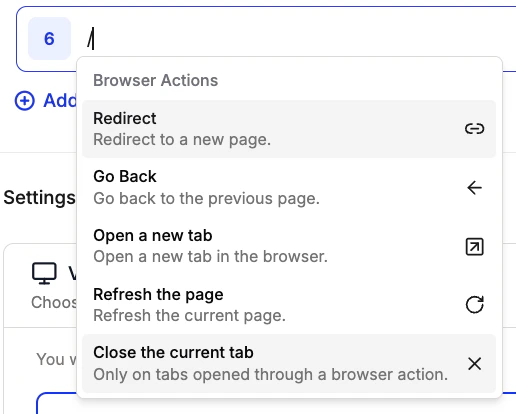
Browser Actions Menu
Example Use Cases
The Close the Current Tab action has been used for:- Multi-tab Workflows: Open a new tab to check related content, then close it to continue the main test flow
- Pop-up Handling: Close tabs that were opened as part of an authentication or payment redirect
- Cross-page Validation: Open a second tab to verify data on another page, then close it and resume the original workflow