
Overview
The Go Back browser action navigates to the previous page in the browser history, just like clicking the back button. This is useful for testing navigation flows where users move between pages and need to return to a prior step, such as going from a product detail page back to a product listing or returning to a form after previewing a submission.
Go Back Step
How to Access
- Type
/in an empty test step to open the shortcuts menu - Navigate to “Browser Actions”
- Select “Go Back” from the list of available actions
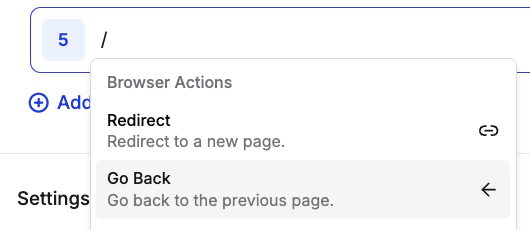
Browser Actions Menu
Example Use Cases
The Go Back action has been used for:- Navigation Flow Testing: Verify that users can return to a previous page without losing their place or context
- Form Preservation: Test that form inputs are preserved when a user navigates away and then returns
- Browsing History: Confirm that the browser back behavior works correctly after a series of page navigations
- E-commerce Flows: Navigate back from a product detail page to the product listing to continue browsing